Tested Minecraft Versions:
Qrst3_SSY
ProCosmetics is the only cosmetic plugin that is full of unique features that you won’t be disappointed in. With its efficientcode, you won’t run into any TPS drops or lag that could be caused by this plugin. This plugin has so much to offer for its price at 11.99€. It has Arrow Effects, Balloons, Banners, Death Effects, Emotes, Gadgets, Miniatures, Morphs, Mounts, Music, Particle Effects, Pets, and a Treasure Chest system with three tiers, Normal, Mythical, and Legendary. The perfect solution for EULA friendly perks for your server. You can give specific cosmetics to players with a rank and make them feel more special and have some extra benefits.
This plugin can be used in many types of servers since you can disable the cosmetics you don't want. For example, you can choose to only keep Particle Effects enabled in a KitPvP server. ProCosmetics does also support my minigames. This means the cosmetics will unequip before a game starts and enable after the game!
⬤ Extremely lightweight.
⬤ Anti Lag system included! Unequips all the player's cosmetics if the server is running on low TPS.
⬤ World Support! You can disable cosmetics in certain worlds.
⬤ EULA FRIENDLY!
⬤ More than 115 different cosmetics!
⬤ Arrow Effects, Balloons, Banners, Death Effects, Emotes, Gadgets, Miniatures, Morphs, Mounts, Music, Particle Effectsand Pets!
⬤ Treasure chest system with three tiers, Normal, Mythical and Legendary.
⬤ Add custom rewards for a Treasure. Ranks can be added as custom rewards.
⬤ Custom currency support. Choose between Vault or Custom currency.
⬤ Supports mine and some other developers' minigames! Cosmetics will disable before a game starts.
⬤ Restore cosmetics system. Your last used cosmetics will be equipped next time you log into the server. This feature also supports multiple servers on your Bungeecord Network however to make this work you must enable MySQL.
⬤ Stores data 2 ways to ensure no data loss. Flat file or MySQL.
⬤ Supports 1.8.x, 1.9.x, 1.10.x, 1.11.x, 1.12.x & 1.13.x!
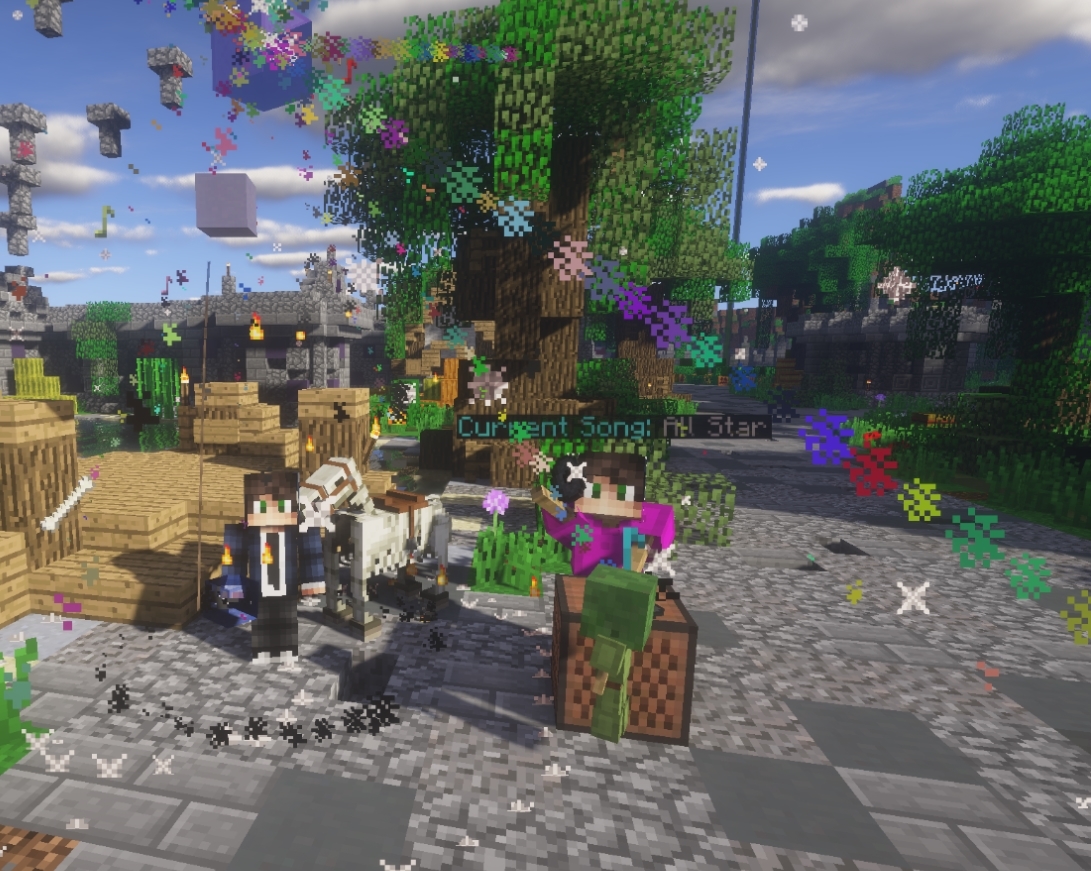
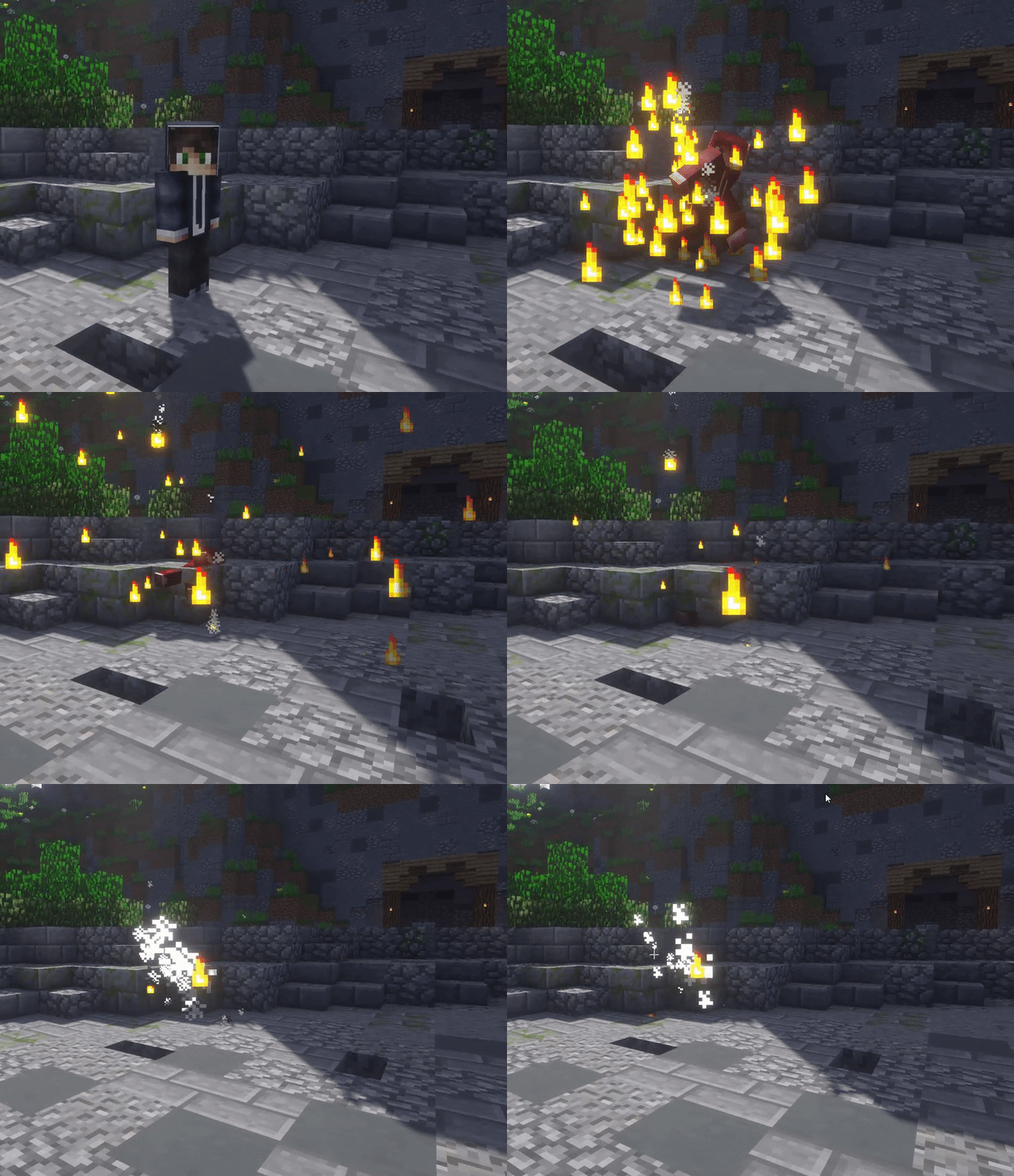
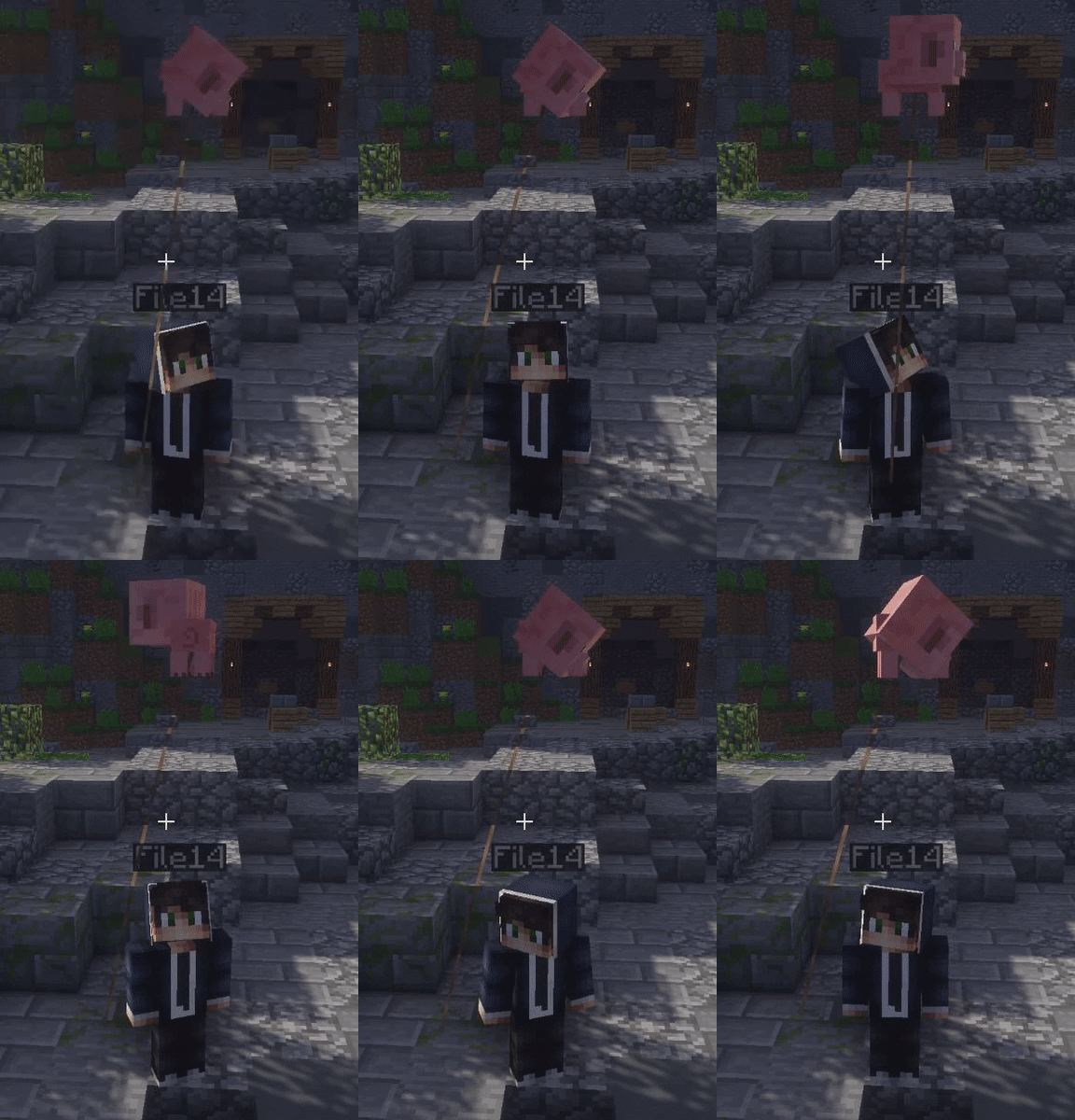
Looks cool right? Please check out the cosmetics below. Keep in mind that I'll not show all of them because it would be too much work uploading all and I want you to discover them by yourself.
Arrow Effects
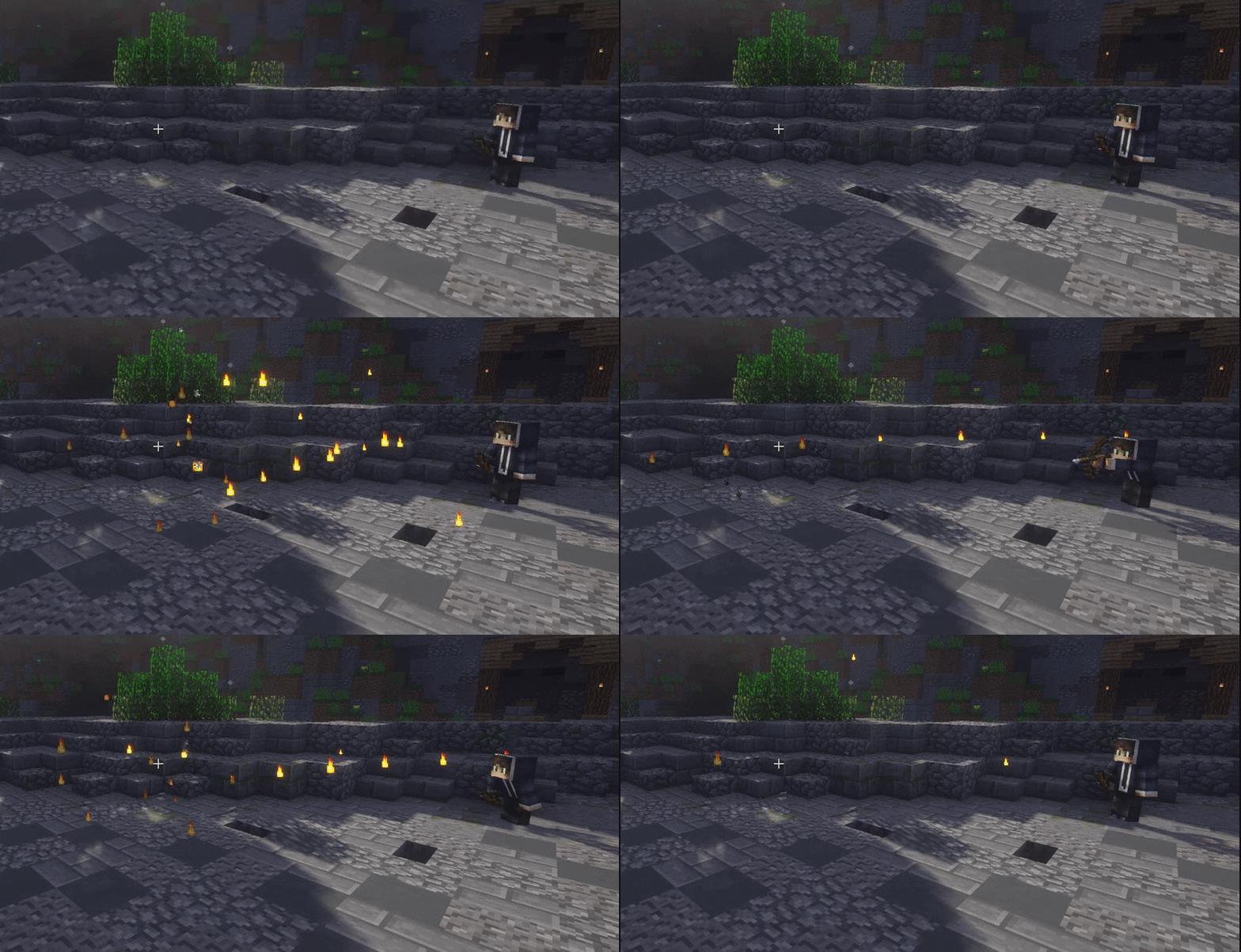
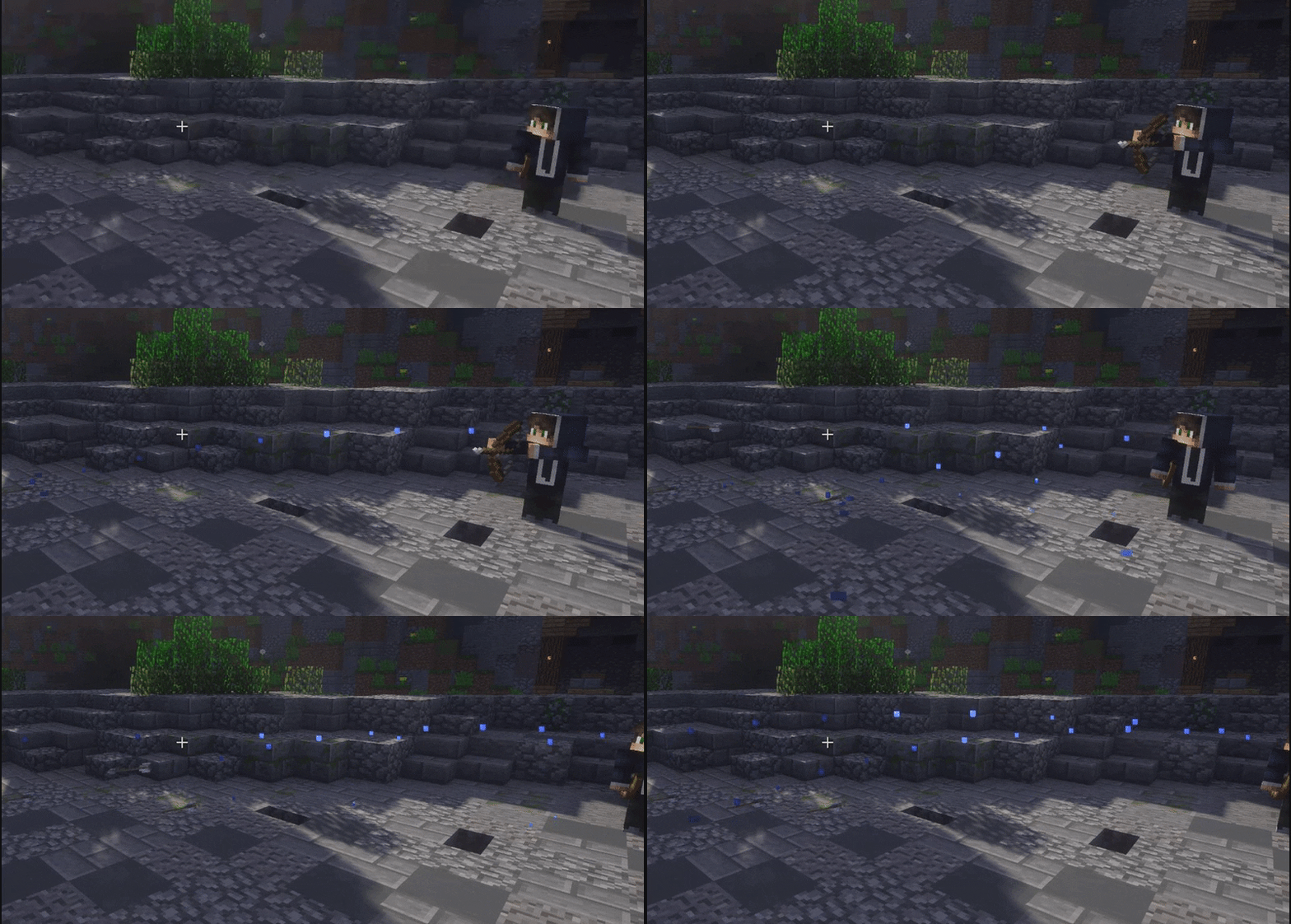
Death Effects
Balloons
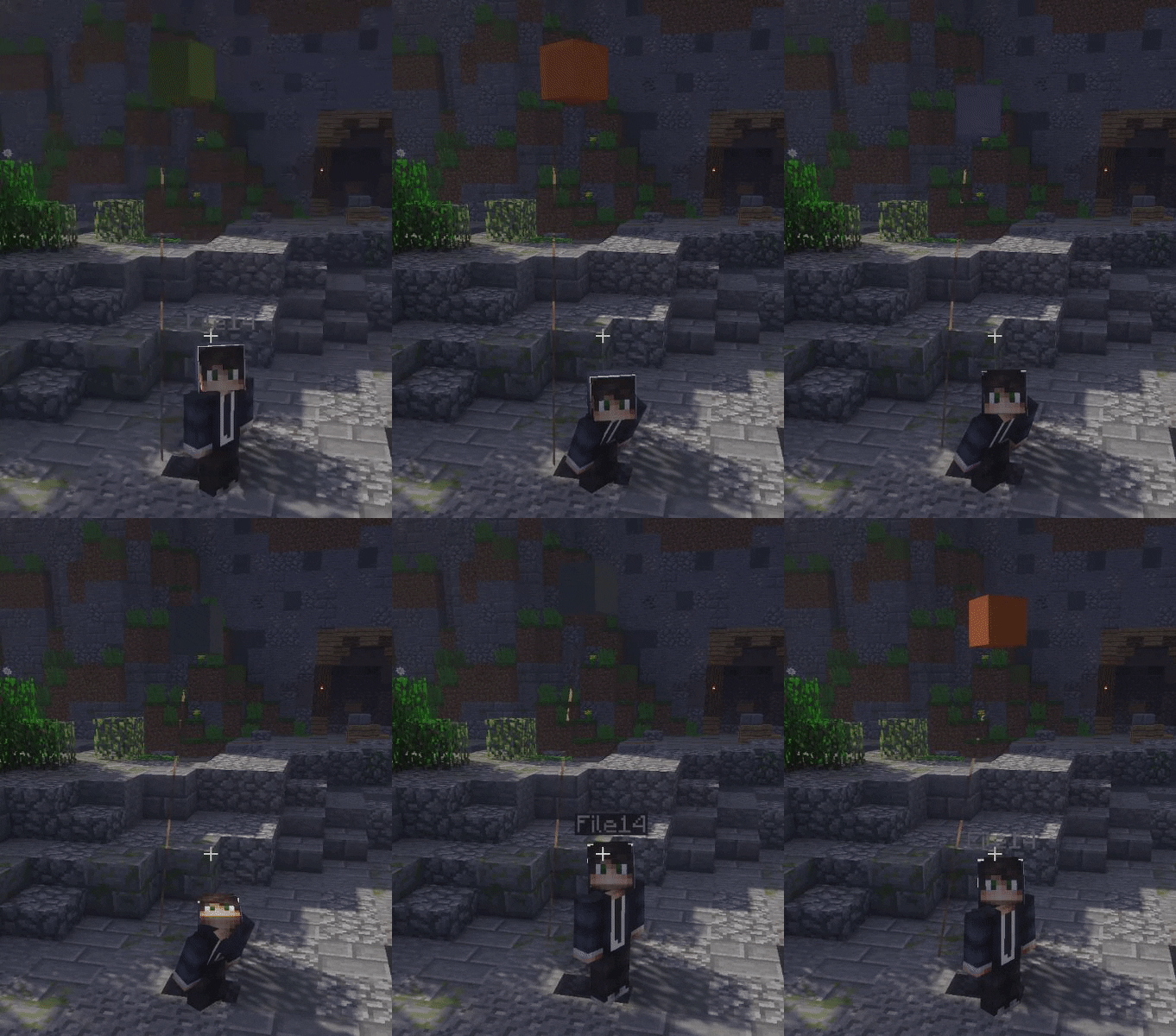
Gadgets
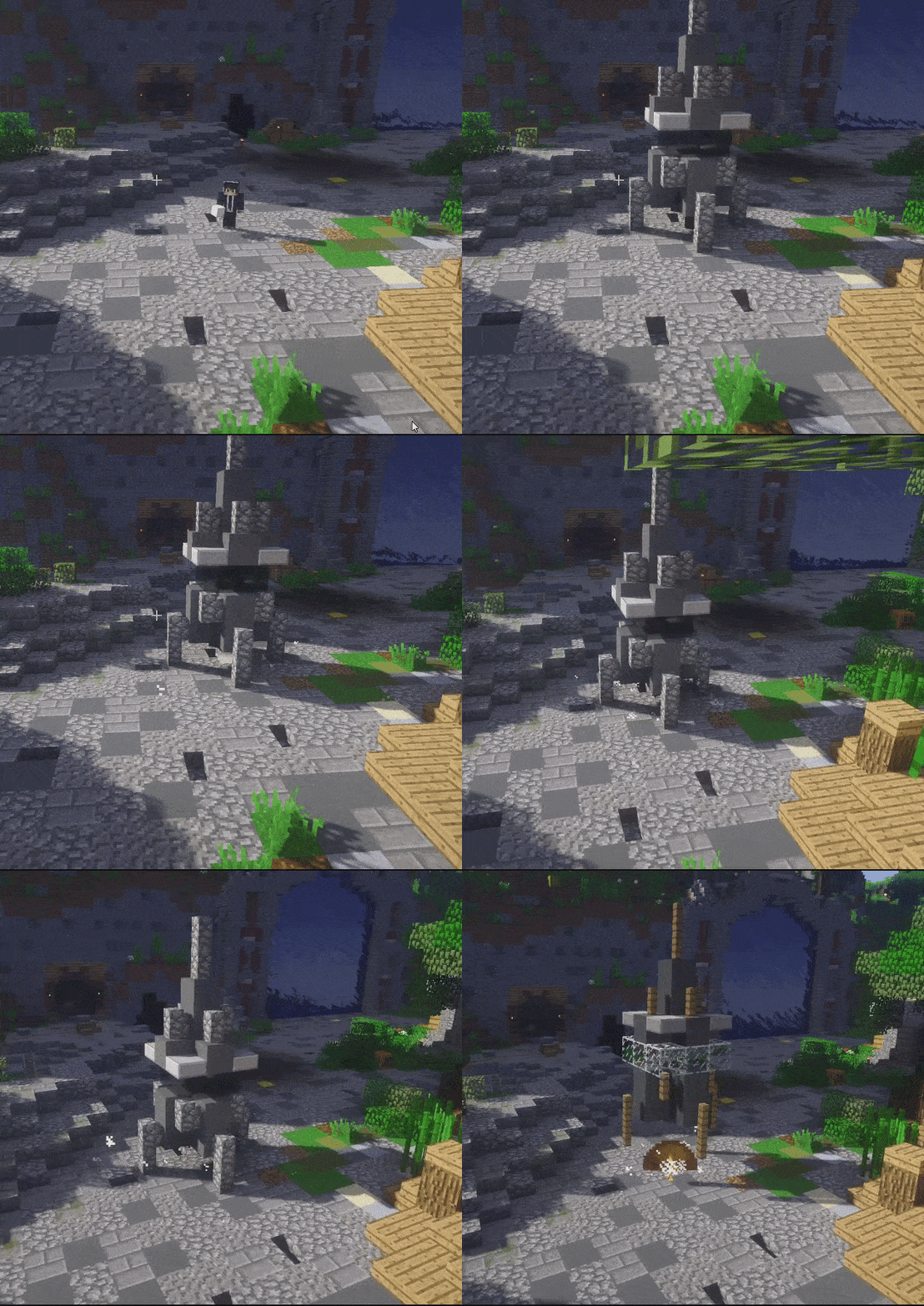
Miniatures
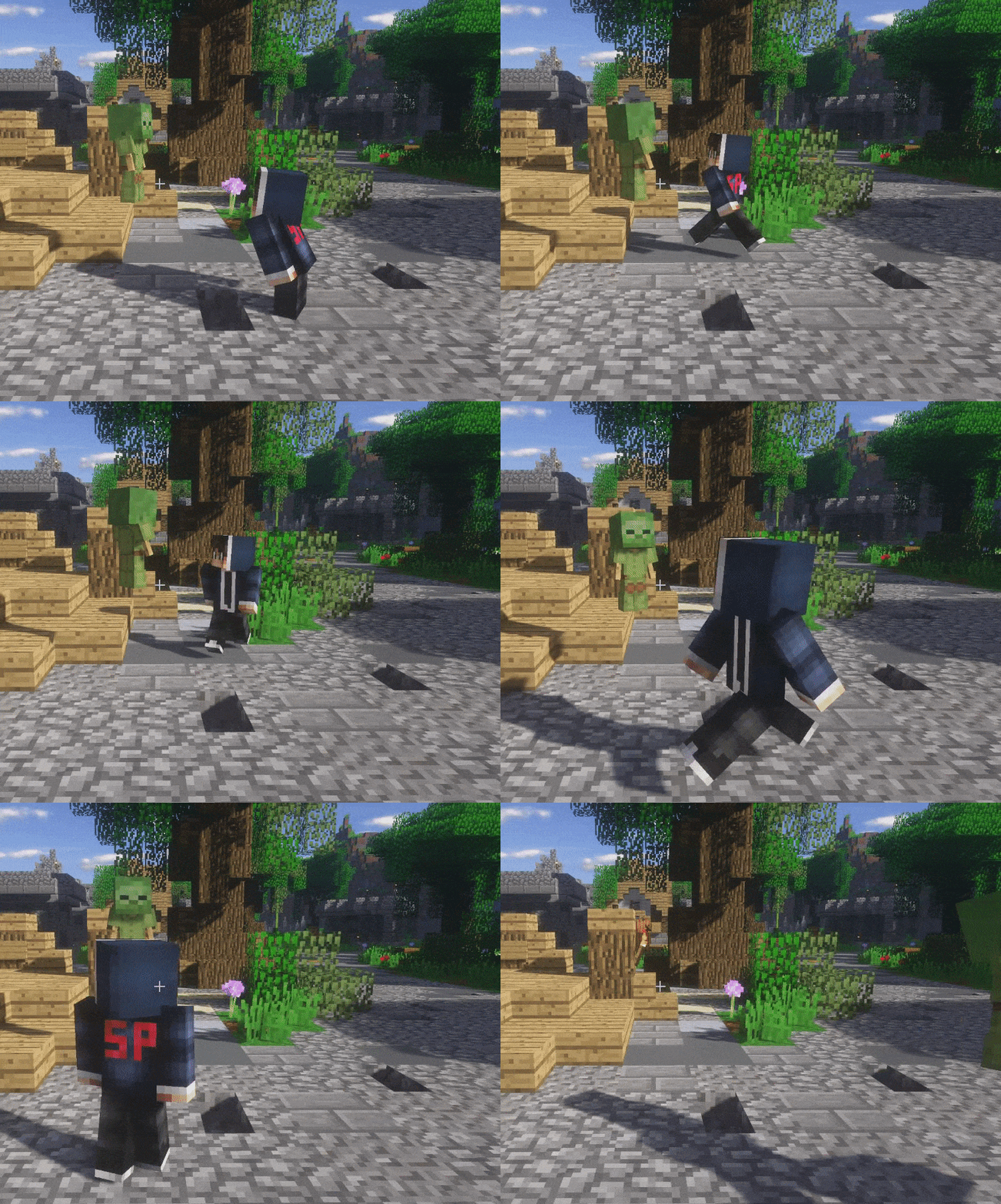
Morphs - 11
Bat
Double tap to be able to fly in some milliseconds!
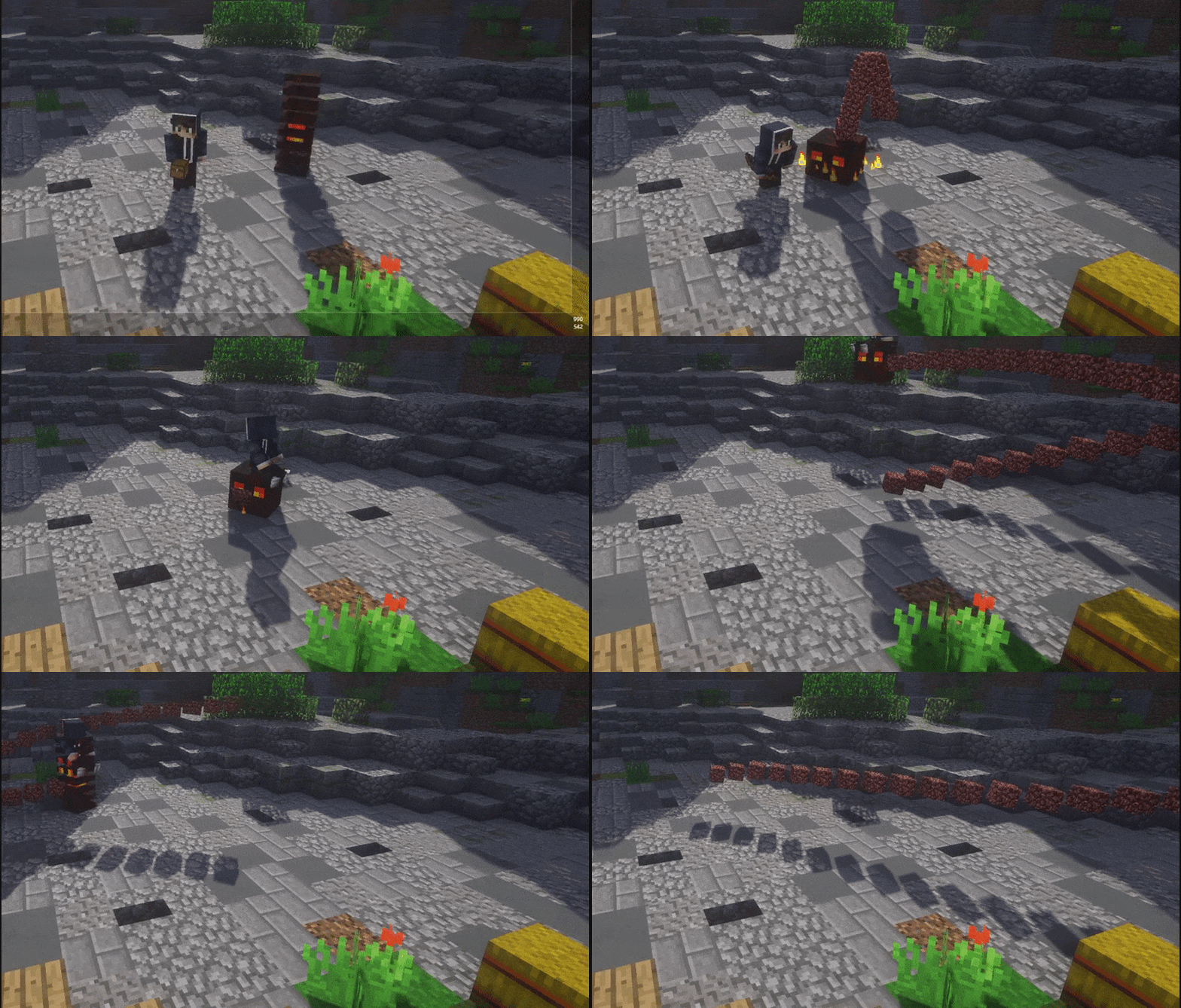
Blaze
Sneak to fly around!
Creeper
Sneak to create an explosion.
Elder Guardian
The ability to fly is awesome! You got the power over the world. Left click to shoot laser explosion.
Enderman
Left click here to teleport.
Olaf
Everyone loves Olaf! Left click to throw a snowball.
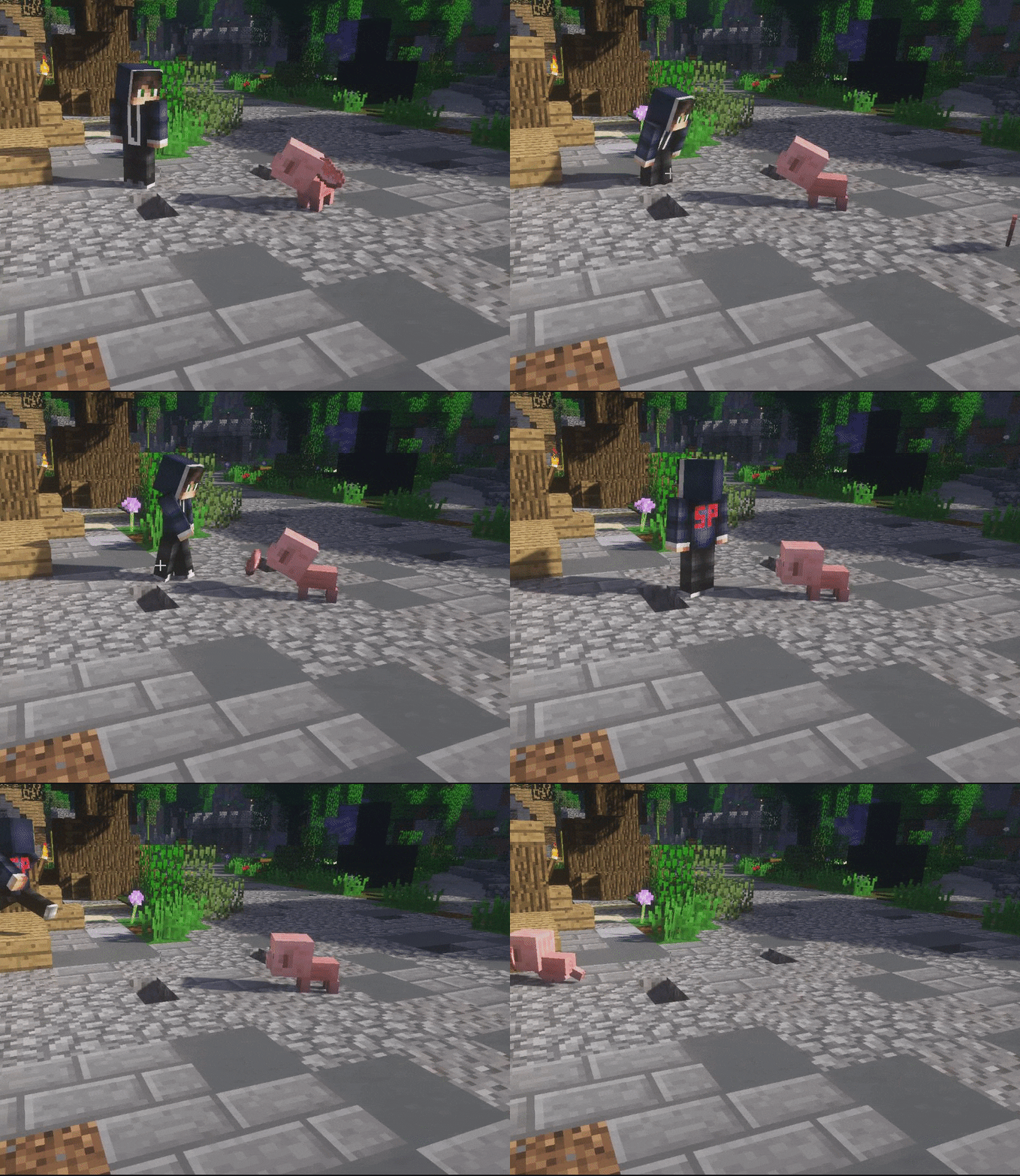
Pig
Run into others to punch them. Such annoying pig running around.
Slime
Jumping around as a slime can be exciting. Left click to throw a slime block. Knocks the target.
Witch
Ever wanted to curse someone? Left click to throw a potion! Sneaking while the potion hits your target gives them blindness, otherwise speed.
Wither
Fly around in the world as a powerful wither. Left click to shoot a wither skull!
Zombie
Scare your friends!
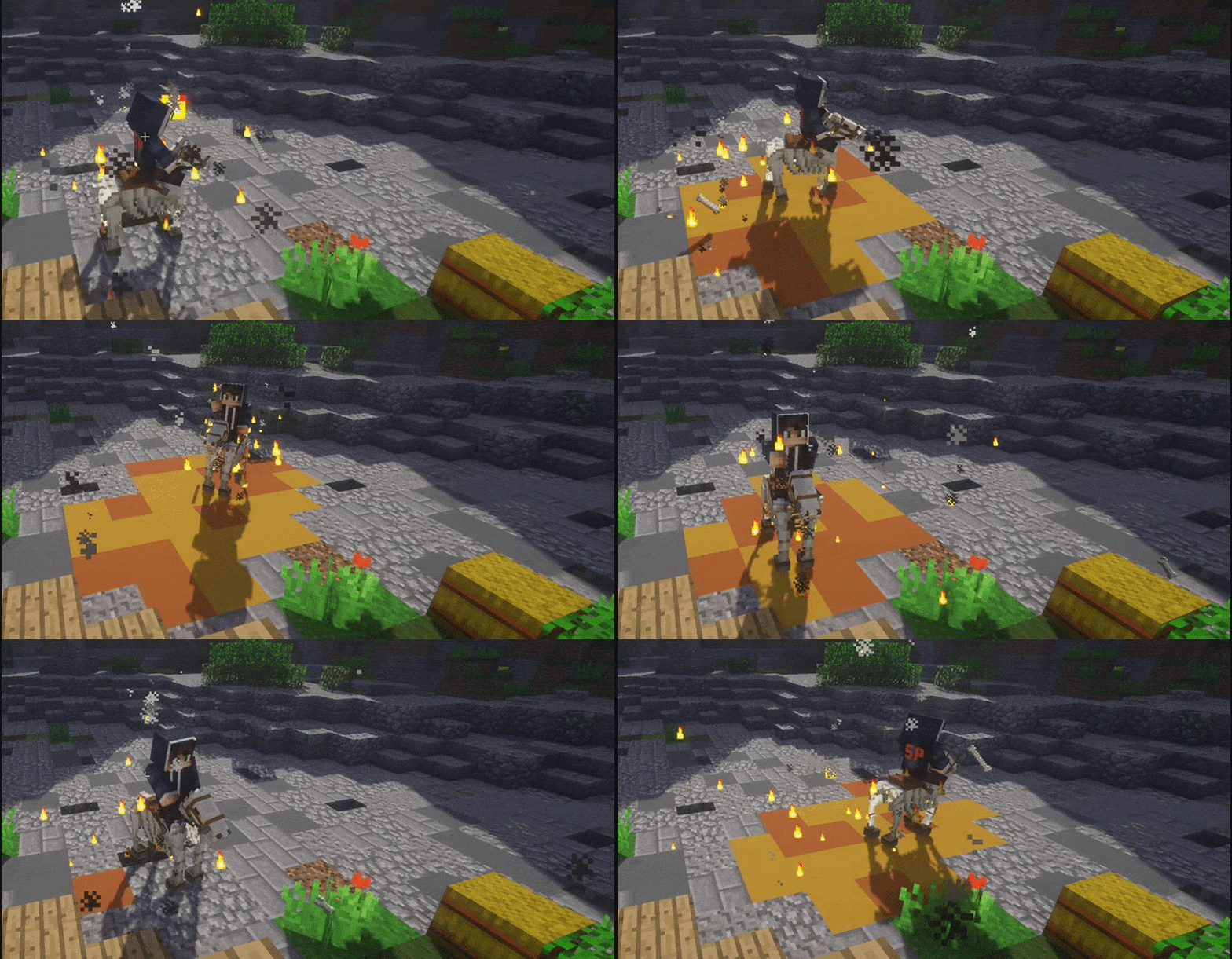
Mounts
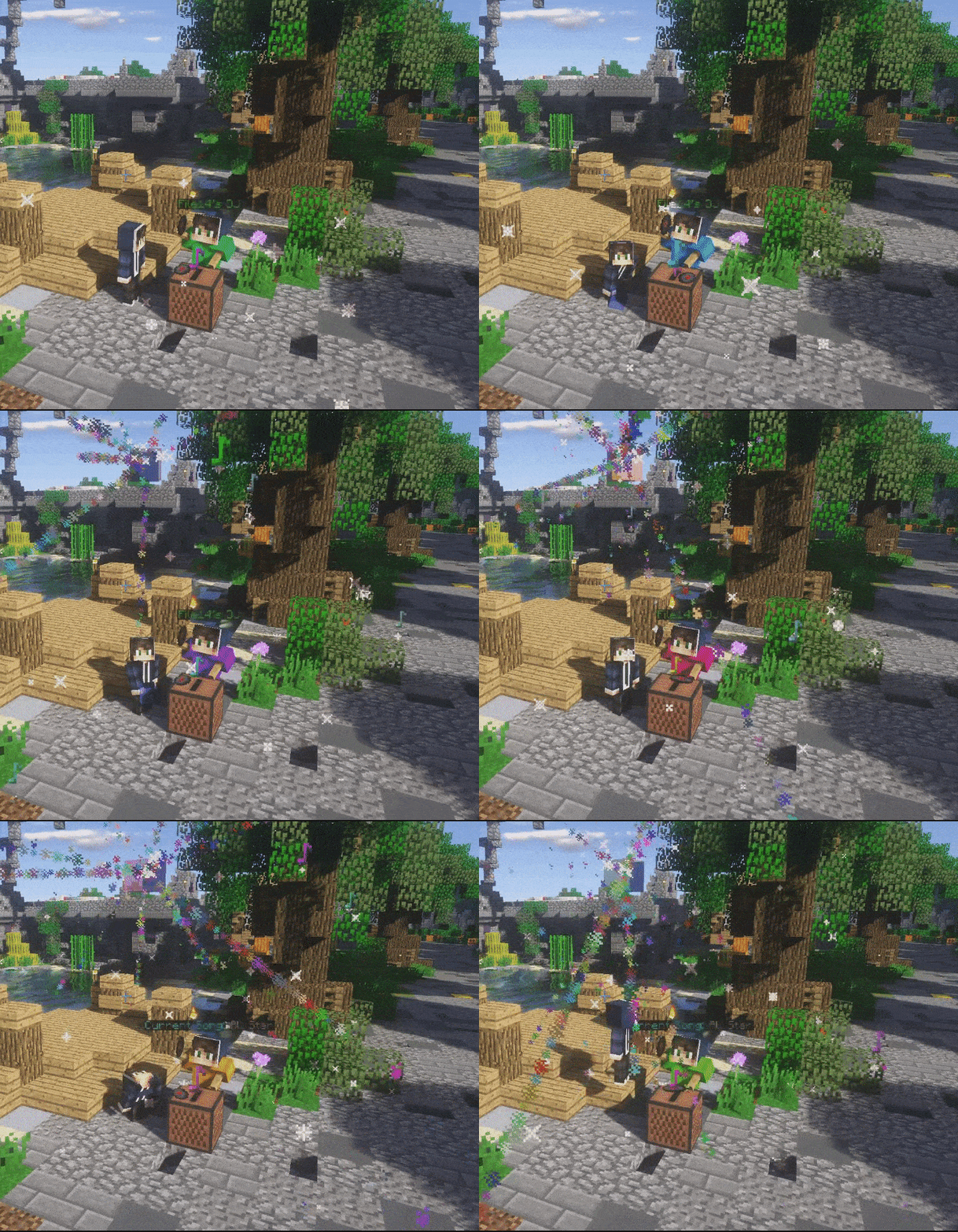
Music
Particle Effects
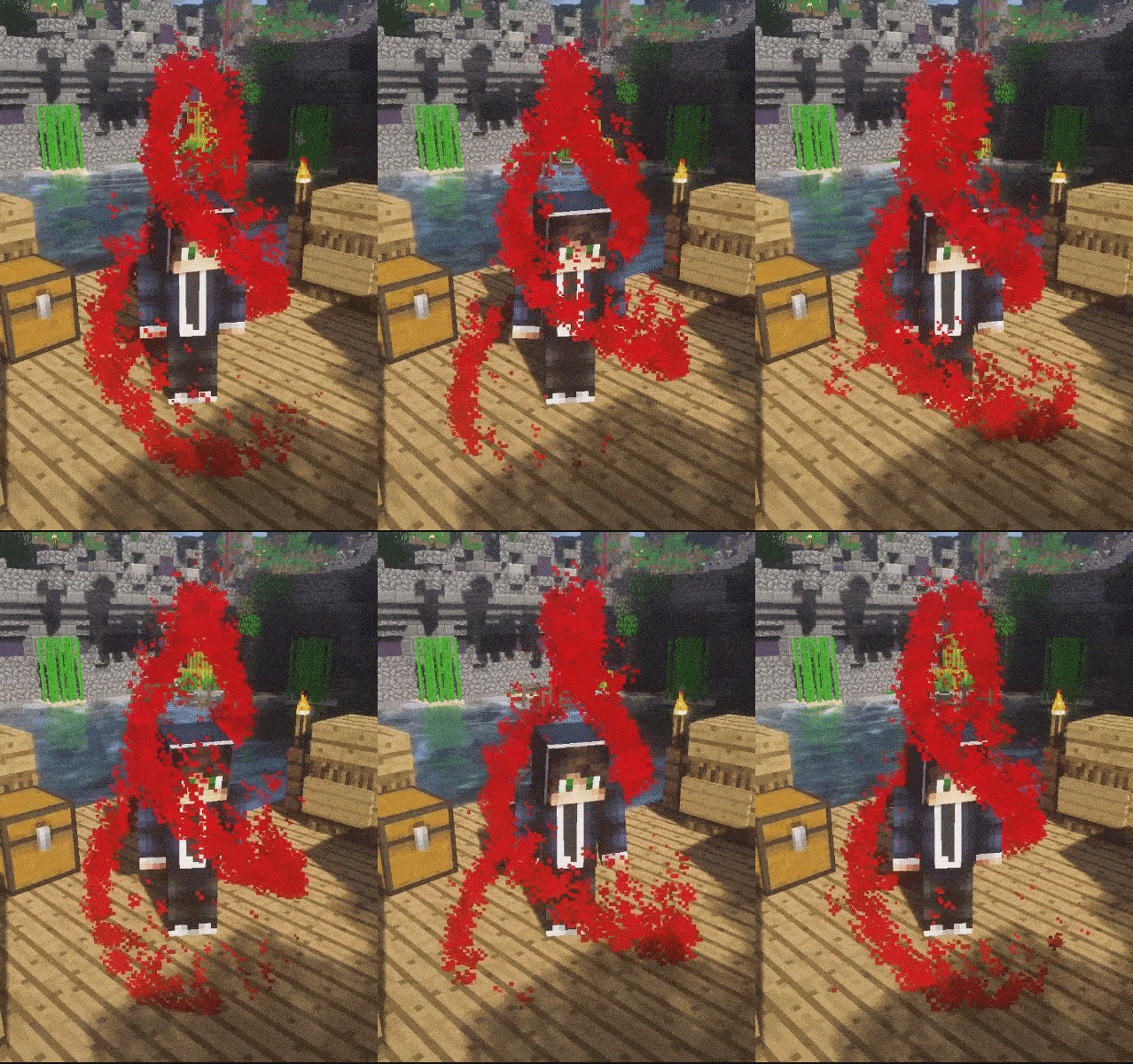
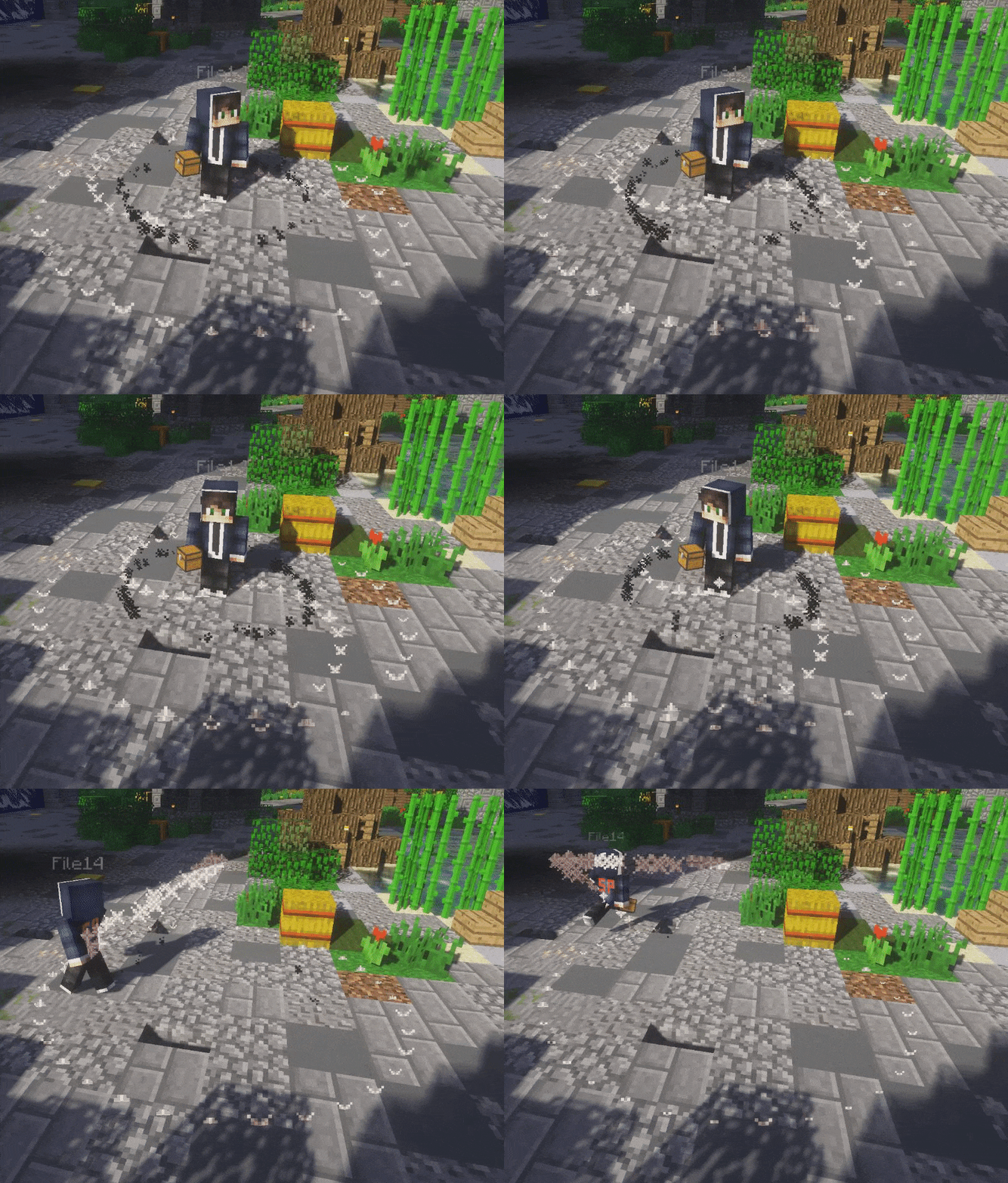
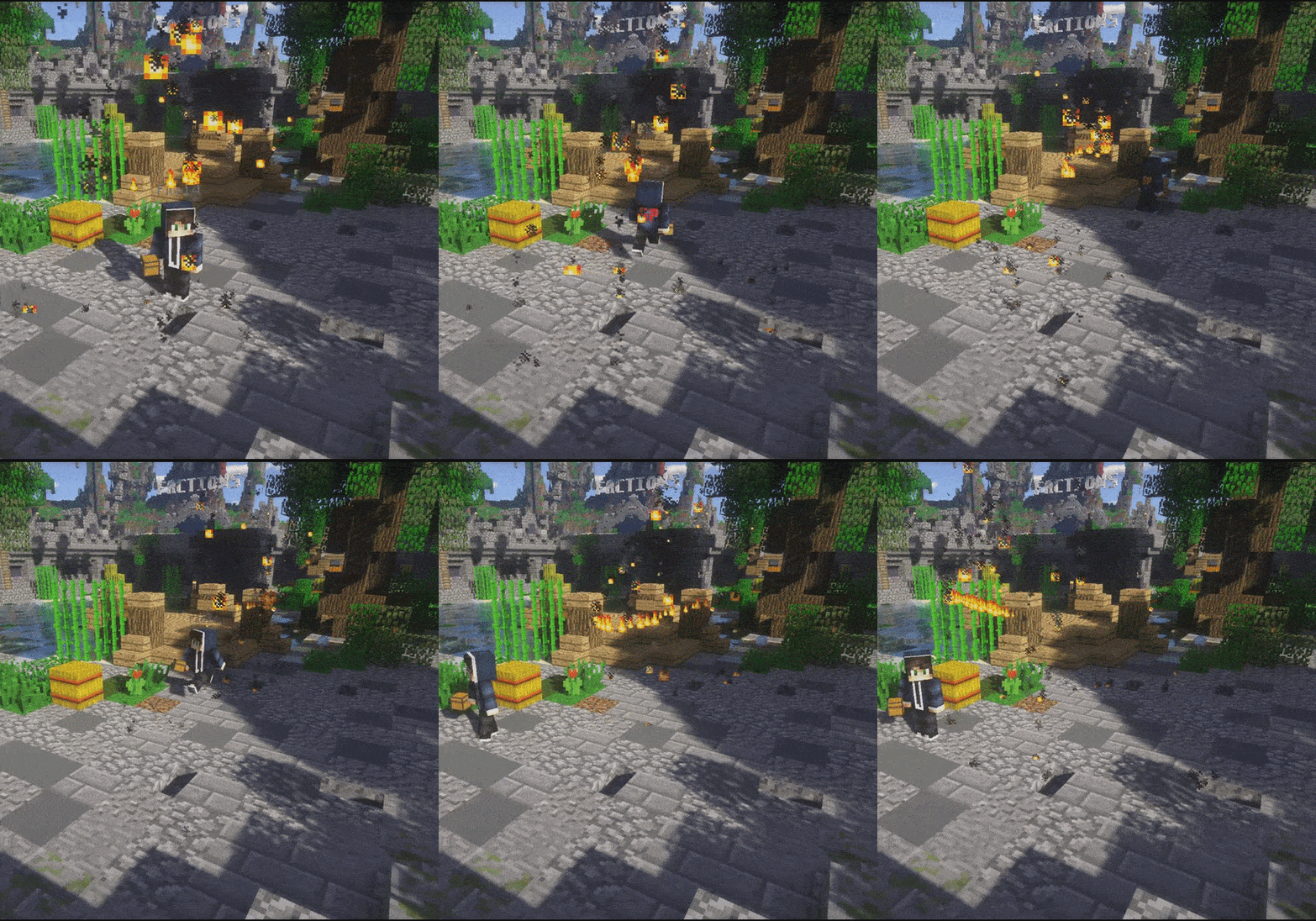
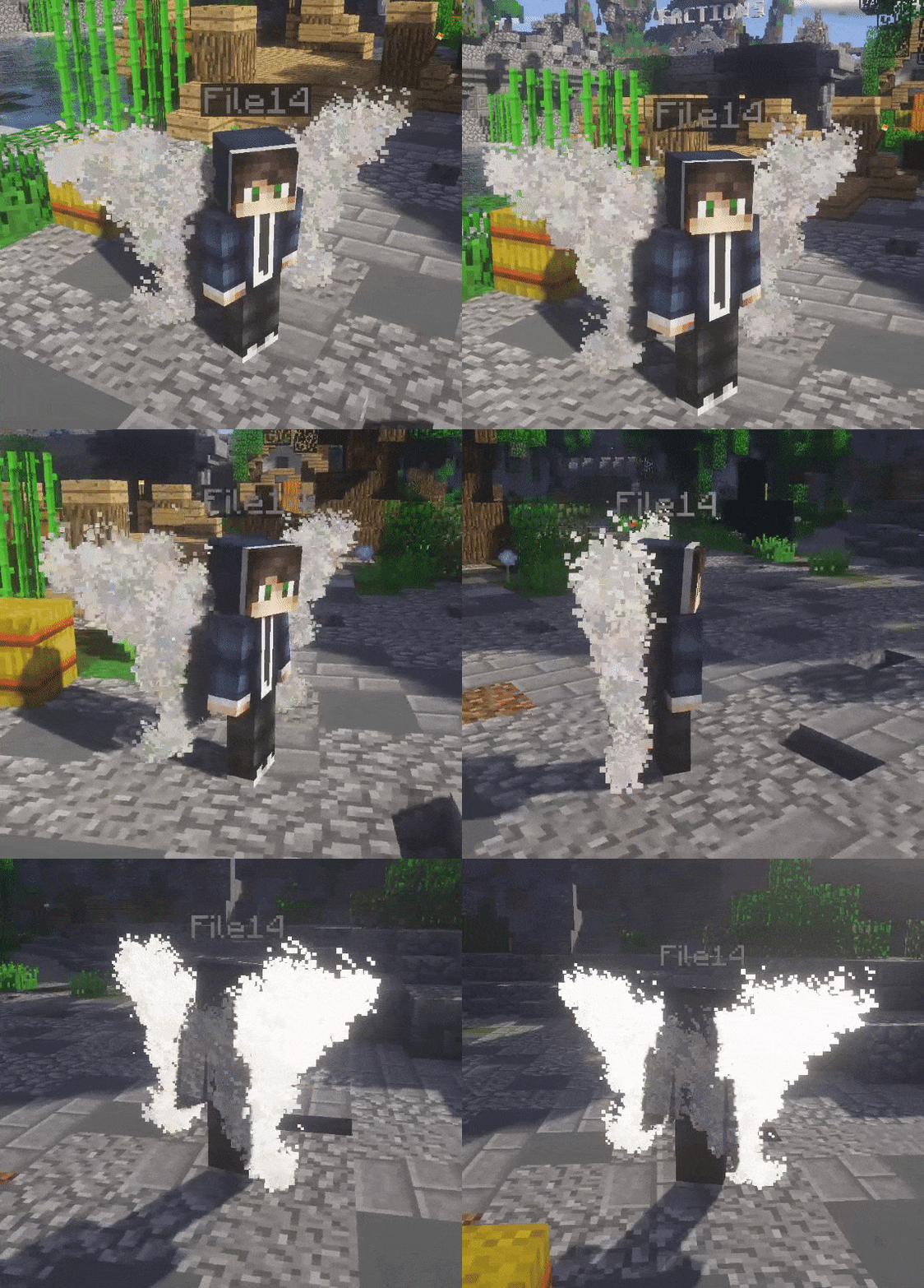
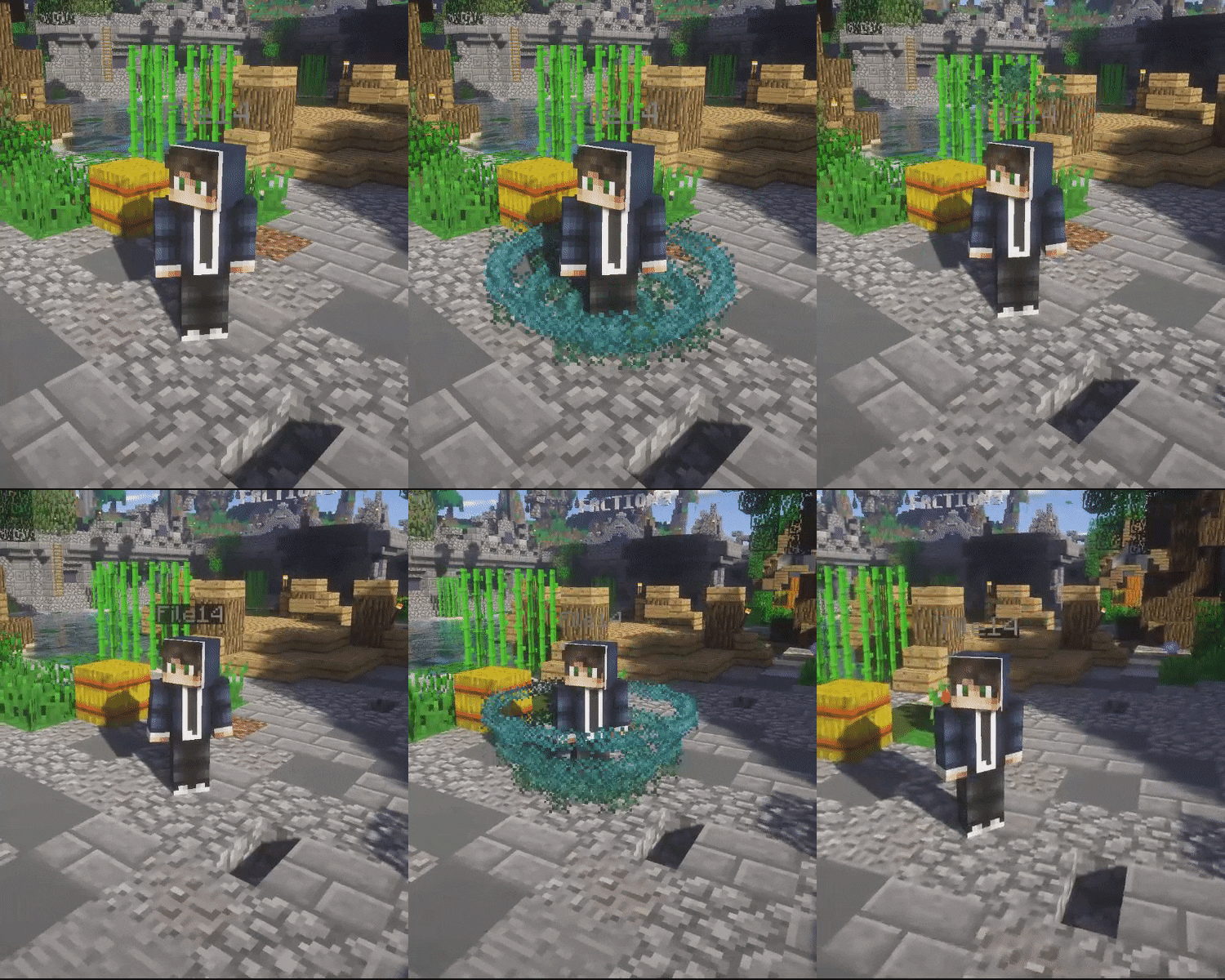
Pets
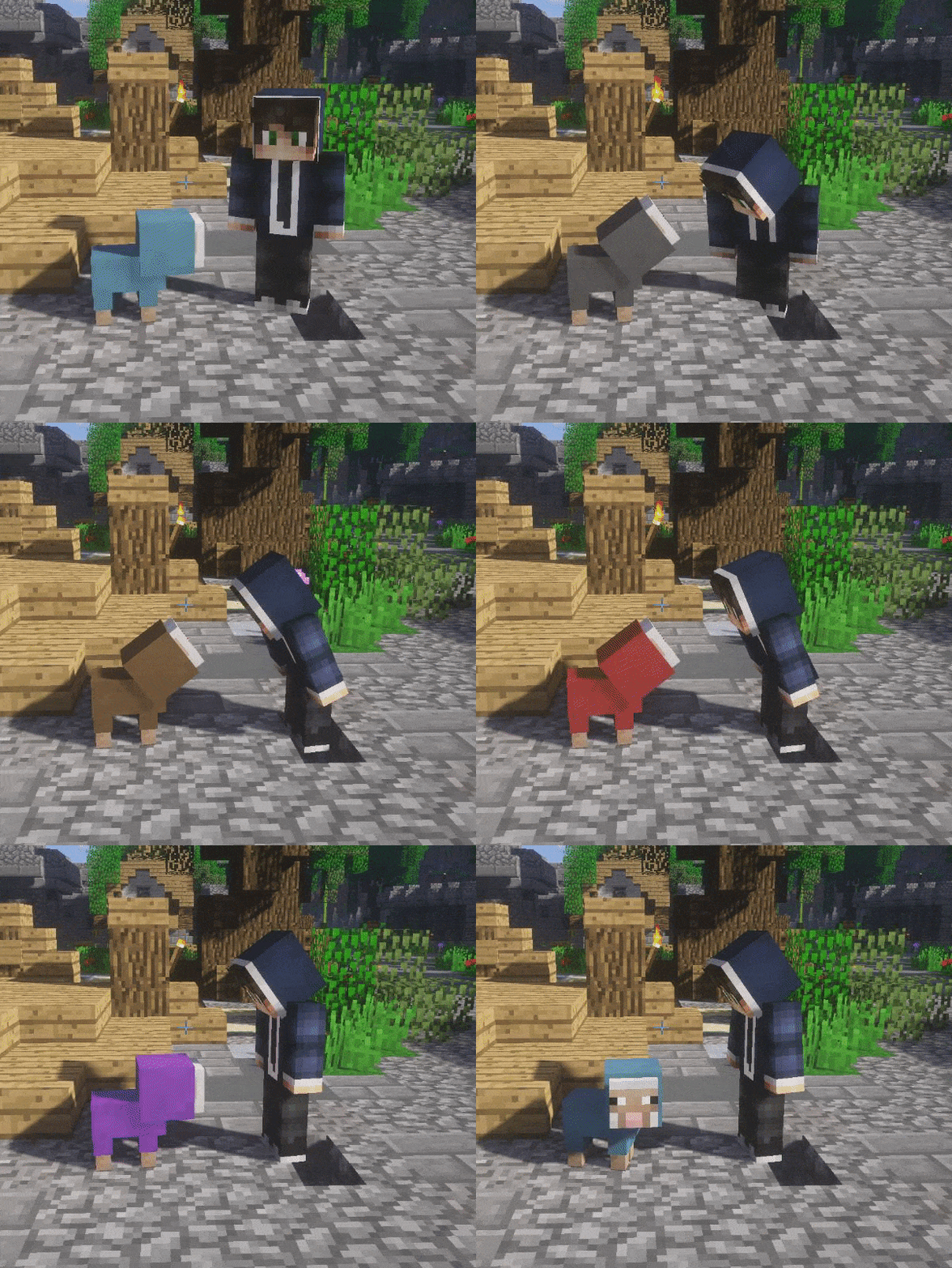
Treasure Chests
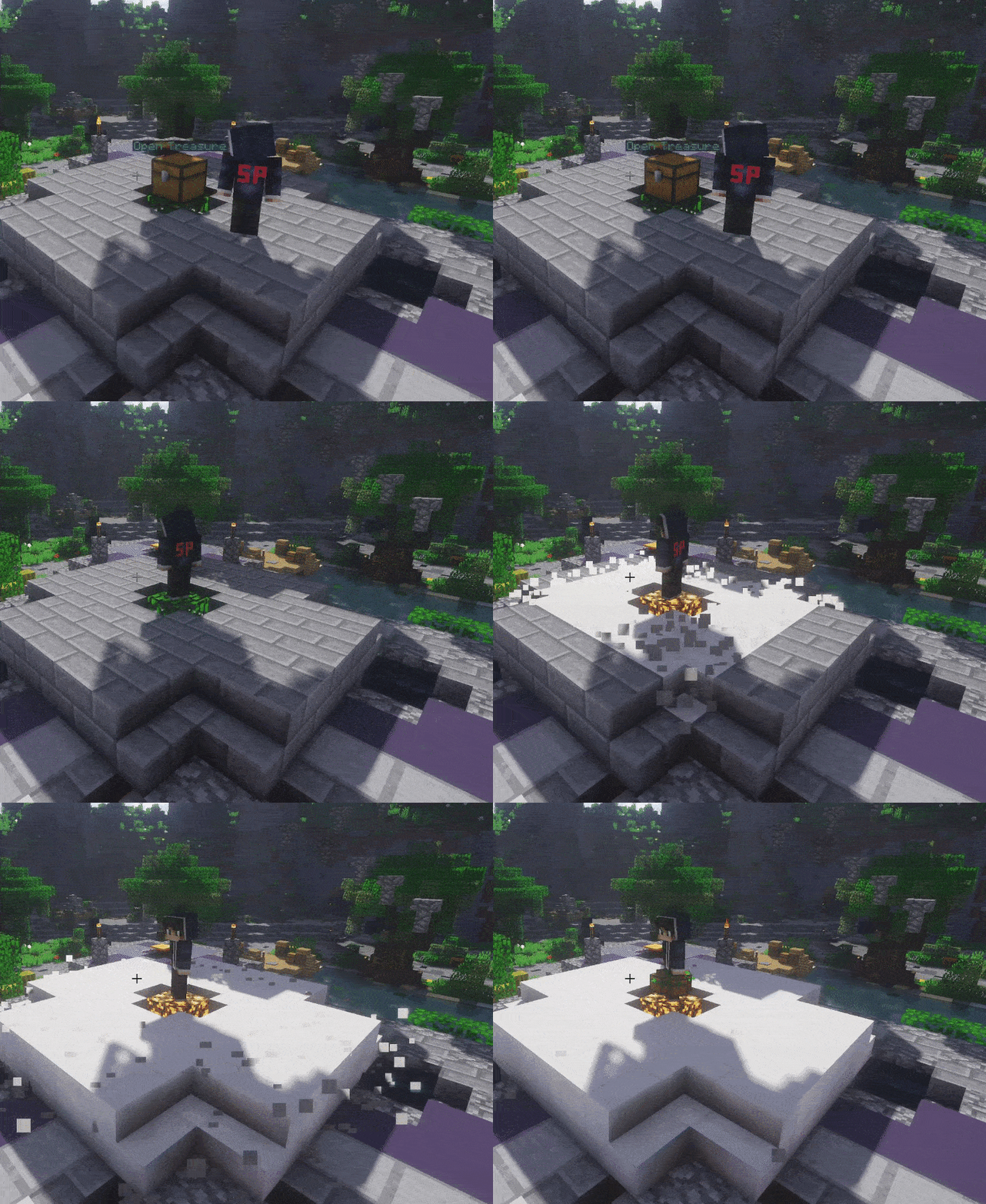
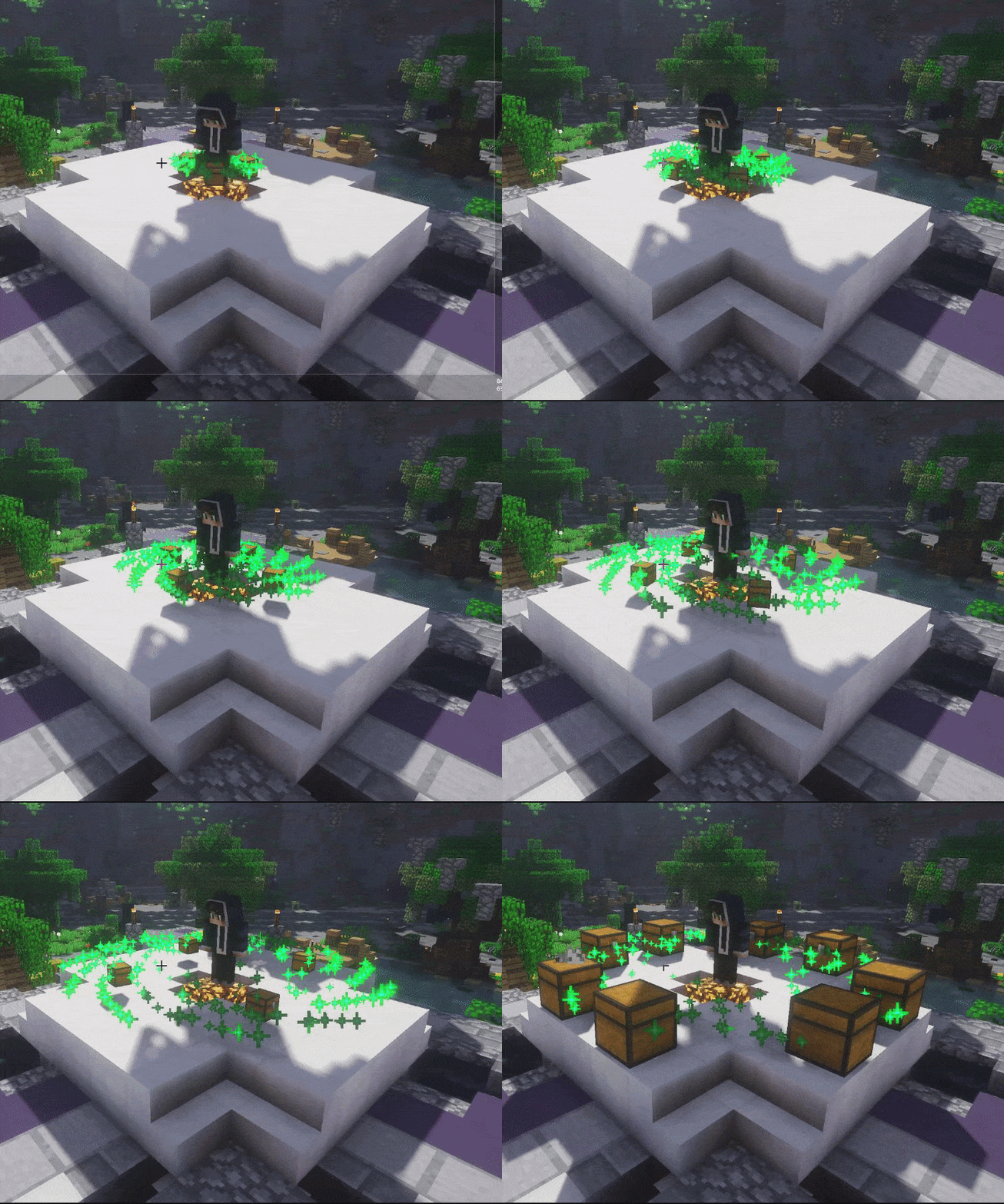
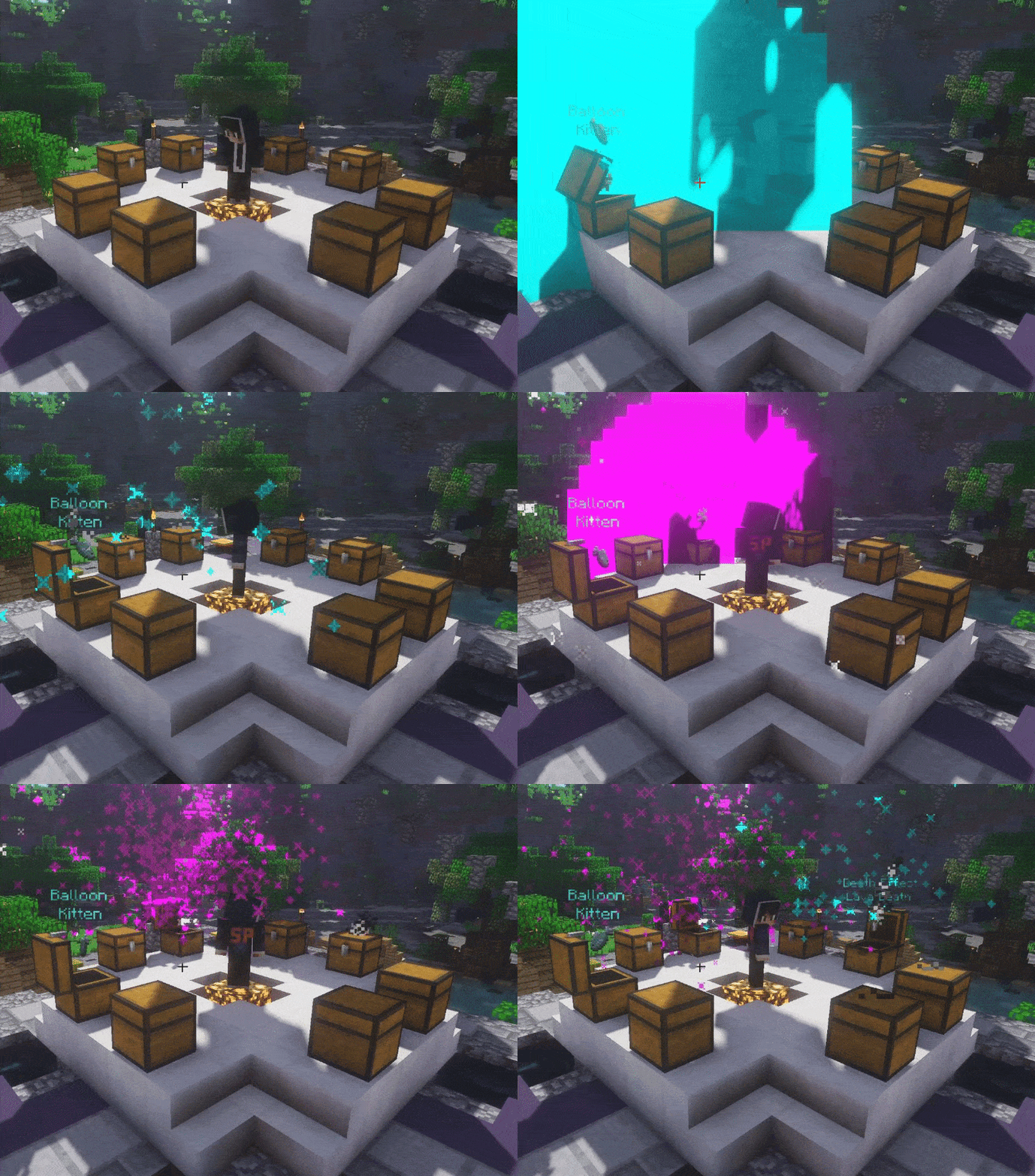
Normal
We found some abandoned villagers and managed to find these chests. The contents are unknown, but we were told they appear to contain many kinds of loot!
Mythical
These chests have been some of our hardest chests to find. Only the bravest adventures managed to find these deep down hidden in mysterious caves!
Legendary
The most powerful of other chests. The loot has been found from dead legandary players a long time ago.
1. Buy and download the plugin.
2. LibsDisguises is requested for the Morph feature. Install the plugin if you want this feature!
Download for 1.8 - Click here!
Download for 1.9 - Click here!
Download for 1.10 - Click here!
Download for 1.11 - Click here!
Download for 1.12 - Click here!
3. To receive money from a treasure chest or buying cosmetics require Vault. CLICK HERE! Keep in mind Vault also needs an economy plugin connected to it. Examples: Essentials & Craftconomy3.
4. Place the ProCosmetics.jar, LibsDisguises.jar and Vault.jar files in your plugins folder.
5. Start and stop your server to make sure the configurations generate.
6. Configure whatever you want. Then start the server. Follow the tutorial below to ensure you set up a treasure chest correctly.
Permissions:
➤ ProCosmetics.Admin ➜ Gives you access to all the commands of ProCosmetics.
➤ ProCosmetics.Open➜ Gives you access to use the menu open command.
➤ ProCosmetics.(cosmeticType).(cosmetic) ➜ Gives you access to a specific cosmetic. Check list below of all cosmetic permissions.
➤ ProCosmetics.Mounts.* ➜ Gives you access to all the mounts.
➤ ProCosmetics.* ➜ Gives you access to all the cosmetics.
Commands:
/PC open (menu) ➜ Opens a specfic menu.
/PC unequipAll ➜ Unequips all your current cosmetics.
/PC give (player) (cosmetic) ➜ Gives access to a cosmetic to a player.
/PC giveCoins (player) (amount) ➜ Gives a player coins.
/PC giveAmmo (player) (gadget) (ammo) ➜ Gives a player more gadget ammo.
/PC treasurechest give (player) (treasure) (amount) ➜ Gives a player treasure(s).
/PC treasurechest giveall (treasure) (amount) ➜ Gives everyone online treasure(s)
/PC treasurechest add ➜ Adds a new treasure chest station.
/PC treasurechest delete ➜ Deletes a treasure chest station.
/PC treasurechest setChestData➜ Sets the chest data of a treasure chest station. Used for rotating the chest.
/PC reload ➜ Reloads the plugin.
This documentation is used for developers who want to hook into the plugin!
All these methods are located in a class called API. The import is "sv.file14.procosmetics.api.API".
➤ openMainMenu(Player player)
• Returns nothing. Opens the main menu for the player.
➤ giveMainMenu(Player player)
• Returns nothing. Gives the player the cosmetic item in their hand.
➤ equipLastCosmetics(Player player)
• Returns nothing. Just enables the player's last used cosmetics. This method is should be used after a minigame has finished its match.
➤ unequipCosmeticsMinigame(Player player)
• Returns nothing. Unequips the player's cosmetics except for Particle Effects.
➤ unequipCosmetics(Player player)
• Returns nothing. Unequips all the player's cosmetics.
By purchasing this plugin or downloading new versions you accept the following terms of use:
https://www.spigotmc.org/wiki/license-of-file14-s-resources
About to post a review? Please do NOT post any issues as a review! If you have any problems, questions or suggestions, just PM me or use the discussion page! You can also contact me through Discord.
- 1.8
- 1.9
- 1.10
- 1.11
- 1.12
- 1.13
Qrst3_SSY
ProCosmetics is the only cosmetic plugin that is full of unique features that you won’t be disappointed in. With its efficientcode, you won’t run into any TPS drops or lag that could be caused by this plugin. This plugin has so much to offer for its price at 11.99€. It has Arrow Effects, Balloons, Banners, Death Effects, Emotes, Gadgets, Miniatures, Morphs, Mounts, Music, Particle Effects, Pets, and a Treasure Chest system with three tiers, Normal, Mythical, and Legendary. The perfect solution for EULA friendly perks for your server. You can give specific cosmetics to players with a rank and make them feel more special and have some extra benefits.
This plugin can be used in many types of servers since you can disable the cosmetics you don't want. For example, you can choose to only keep Particle Effects enabled in a KitPvP server. ProCosmetics does also support my minigames. This means the cosmetics will unequip before a game starts and enable after the game!
⬤ Extremely lightweight.
⬤ Anti Lag system included! Unequips all the player's cosmetics if the server is running on low TPS.
⬤ World Support! You can disable cosmetics in certain worlds.
⬤ EULA FRIENDLY!
⬤ More than 115 different cosmetics!
⬤ Arrow Effects, Balloons, Banners, Death Effects, Emotes, Gadgets, Miniatures, Morphs, Mounts, Music, Particle Effectsand Pets!
⬤ Treasure chest system with three tiers, Normal, Mythical and Legendary.
⬤ Add custom rewards for a Treasure. Ranks can be added as custom rewards.
⬤ Custom currency support. Choose between Vault or Custom currency.
⬤ Supports mine and some other developers' minigames! Cosmetics will disable before a game starts.
⬤ Restore cosmetics system. Your last used cosmetics will be equipped next time you log into the server. This feature also supports multiple servers on your Bungeecord Network however to make this work you must enable MySQL.
⬤ Stores data 2 ways to ensure no data loss. Flat file or MySQL.
⬤ Supports 1.8.x, 1.9.x, 1.10.x, 1.11.x, 1.12.x & 1.13.x!
Looks cool right? Please check out the cosmetics below. Keep in mind that I'll not show all of them because it would be too much work uploading all and I want you to discover them by yourself.
Arrow Effects
Death Effects
Balloons
Gadgets
Miniatures
Morphs - 11
Bat
Double tap to be able to fly in some milliseconds!
Blaze
Sneak to fly around!
Creeper
Sneak to create an explosion.
Elder Guardian
The ability to fly is awesome! You got the power over the world. Left click to shoot laser explosion.
Enderman
Left click here to teleport.
Olaf
Everyone loves Olaf! Left click to throw a snowball.
Pig
Run into others to punch them. Such annoying pig running around.
Slime
Jumping around as a slime can be exciting. Left click to throw a slime block. Knocks the target.
Witch
Ever wanted to curse someone? Left click to throw a potion! Sneaking while the potion hits your target gives them blindness, otherwise speed.
Wither
Fly around in the world as a powerful wither. Left click to shoot a wither skull!
Zombie
Scare your friends!
Mounts
Music
Particle Effects
Pets
Treasure Chests
Normal
We found some abandoned villagers and managed to find these chests. The contents are unknown, but we were told they appear to contain many kinds of loot!
Mythical
These chests have been some of our hardest chests to find. Only the bravest adventures managed to find these deep down hidden in mysterious caves!
Legendary
The most powerful of other chests. The loot has been found from dead legandary players a long time ago.
1. Buy and download the plugin.
2. LibsDisguises is requested for the Morph feature. Install the plugin if you want this feature!
Download for 1.8 - Click here!
Download for 1.9 - Click here!
Download for 1.10 - Click here!
Download for 1.11 - Click here!
Download for 1.12 - Click here!
3. To receive money from a treasure chest or buying cosmetics require Vault. CLICK HERE! Keep in mind Vault also needs an economy plugin connected to it. Examples: Essentials & Craftconomy3.
4. Place the ProCosmetics.jar, LibsDisguises.jar and Vault.jar files in your plugins folder.
5. Start and stop your server to make sure the configurations generate.
6. Configure whatever you want. Then start the server. Follow the tutorial below to ensure you set up a treasure chest correctly.
Permissions:
➤ ProCosmetics.Admin ➜ Gives you access to all the commands of ProCosmetics.
➤ ProCosmetics.Open➜ Gives you access to use the menu open command.
➤ ProCosmetics.(cosmeticType).(cosmetic) ➜ Gives you access to a specific cosmetic. Check list below of all cosmetic permissions.
➤ ProCosmetics.Mounts.* ➜ Gives you access to all the mounts.
➤ ProCosmetics.* ➜ Gives you access to all the cosmetics.
Commands:
/PC open (menu) ➜ Opens a specfic menu.
/PC unequipAll ➜ Unequips all your current cosmetics.
/PC give (player) (cosmetic) ➜ Gives access to a cosmetic to a player.
/PC giveCoins (player) (amount) ➜ Gives a player coins.
/PC giveAmmo (player) (gadget) (ammo) ➜ Gives a player more gadget ammo.
/PC treasurechest give (player) (treasure) (amount) ➜ Gives a player treasure(s).
/PC treasurechest giveall (treasure) (amount) ➜ Gives everyone online treasure(s)
/PC treasurechest add ➜ Adds a new treasure chest station.
/PC treasurechest delete ➜ Deletes a treasure chest station.
/PC treasurechest setChestData➜ Sets the chest data of a treasure chest station. Used for rotating the chest.
/PC reload ➜ Reloads the plugin.
This documentation is used for developers who want to hook into the plugin!
All these methods are located in a class called API. The import is "sv.file14.procosmetics.api.API".
➤ openMainMenu(Player player)
• Returns nothing. Opens the main menu for the player.
➤ giveMainMenu(Player player)
• Returns nothing. Gives the player the cosmetic item in their hand.
➤ equipLastCosmetics(Player player)
• Returns nothing. Just enables the player's last used cosmetics. This method is should be used after a minigame has finished its match.
➤ unequipCosmeticsMinigame(Player player)
• Returns nothing. Unequips the player's cosmetics except for Particle Effects.
➤ unequipCosmetics(Player player)
• Returns nothing. Unequips all the player's cosmetics.
By purchasing this plugin or downloading new versions you accept the following terms of use:
https://www.spigotmc.org/wiki/license-of-file14-s-resources
About to post a review? Please do NOT post any issues as a review! If you have any problems, questions or suggestions, just PM me or use the discussion page! You can also contact me through Discord.
![Mob Farm Manager [supports 1.7.10 up to 1.17] Hopper support](/data/resource_icons/14/14237.jpg?1782806938)

![Nog's Animations [Plushify]](/data/resource_icons/1/1911.jpg?1781574194)
![EpicWorldGenerator MODERN [1.21.11 / 26.1.2] Now with Multiverse Support! (EWG)](/data/resource_icons/0/839.jpg?1782116339)
