






If you want a detailed run-through of all the features in the setup before joining the server, click the extension button below to view a description of all important features.

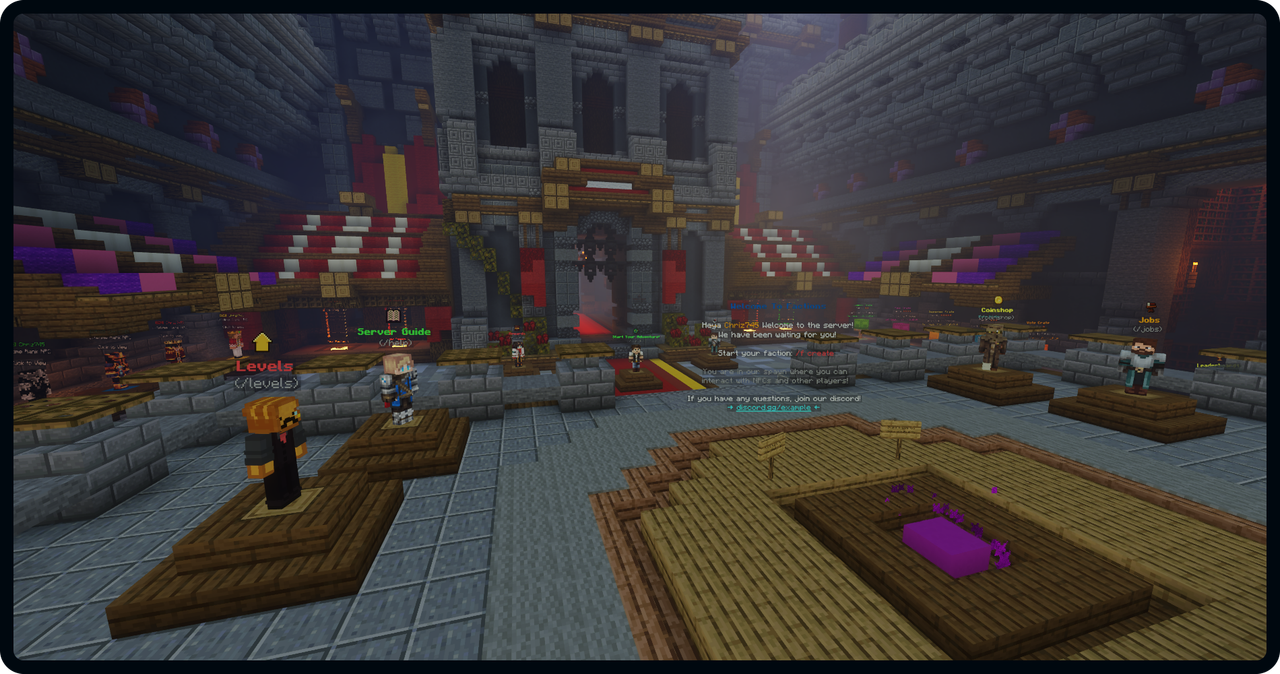
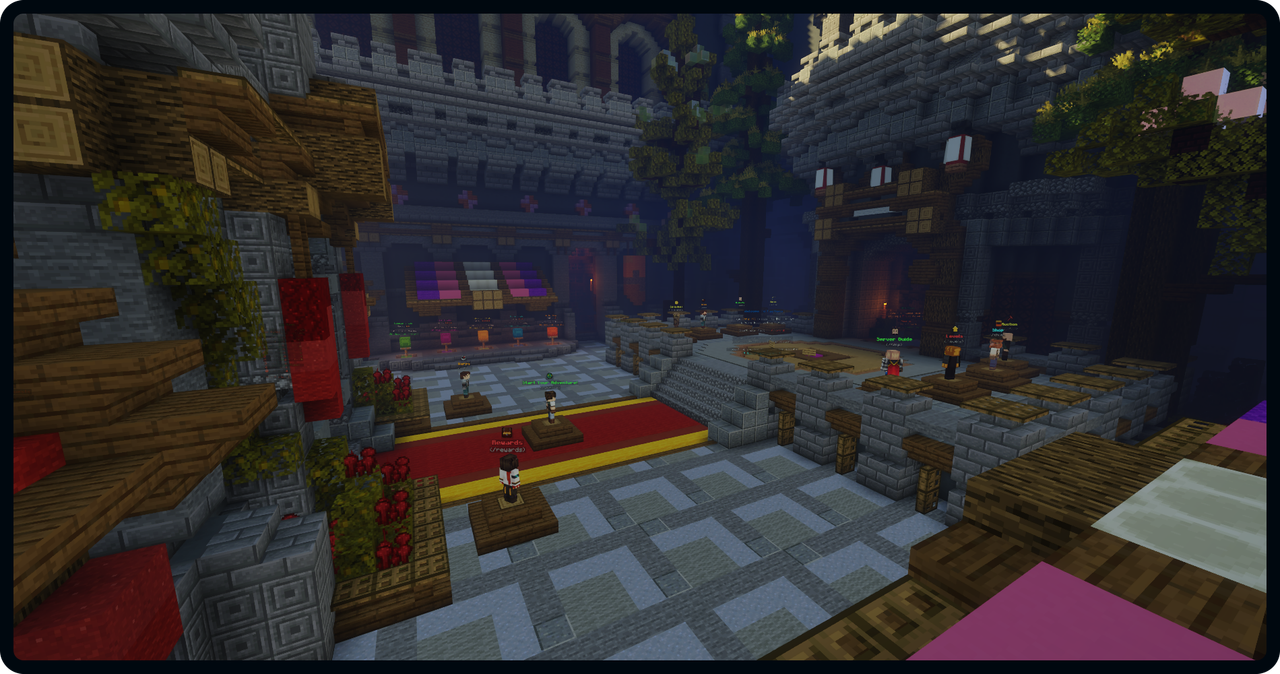
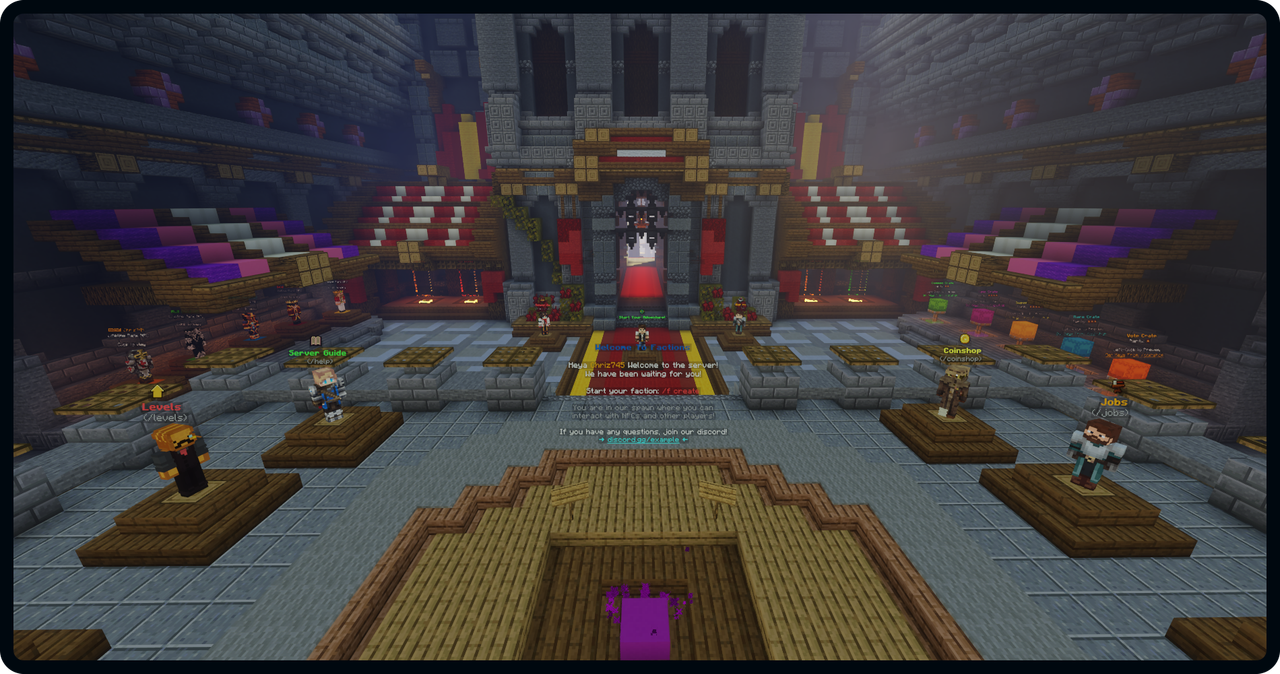
Below is the amazing spawn used for the setup. The incredible quality of the build ensures that your server appears professional.

The setup includes 3 presetup worlds: Survival World, Nether and End. Players can RTP to either the Survival World or the Nether using the beautiful custom RTP menu shown below:


Levels is a progression system where players can obtain special perks and items by playing on the server. With our unique Level XP system, you as a server owner can easily decide how players should gain Level XP. Playtime, Votes, Quests are ways players can obtain XP, but you can easily add new methods or remove existing methods.

There are 24 levels within Levels playtested to ensure atleast 500 hours of playing for your players!

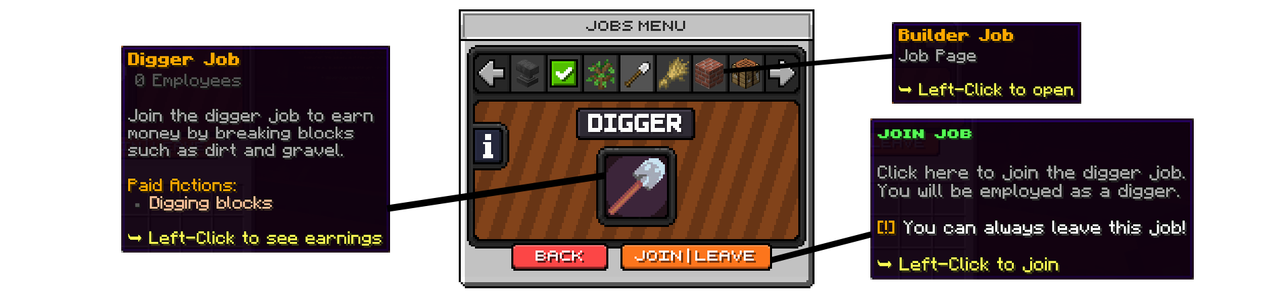
Jobs is a popular feature on most survival servers. Players can earn money and points from working in a job. Below is the main Jobs menu.

Players can read about all the available jobs and choose which jobs to join/leave in the Jobs Choosing Menu.
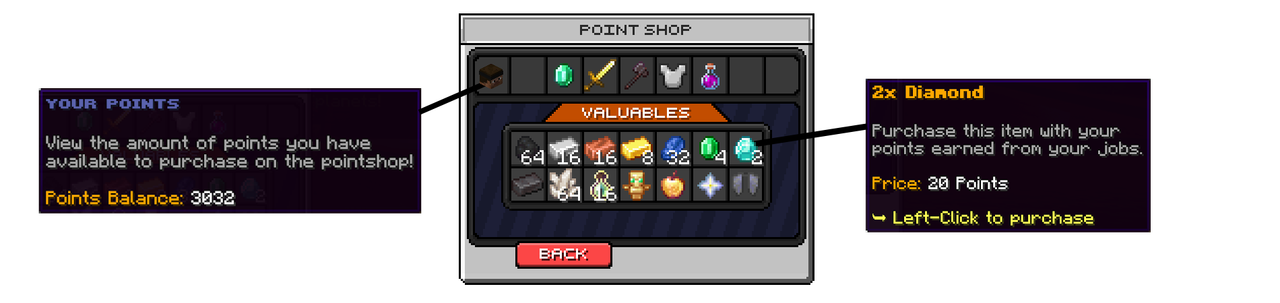
The points earned in theJobs can be spend in the Jobs Pointshop to buy valueable items. There are 5 Pointshop categories with 50+ available items.
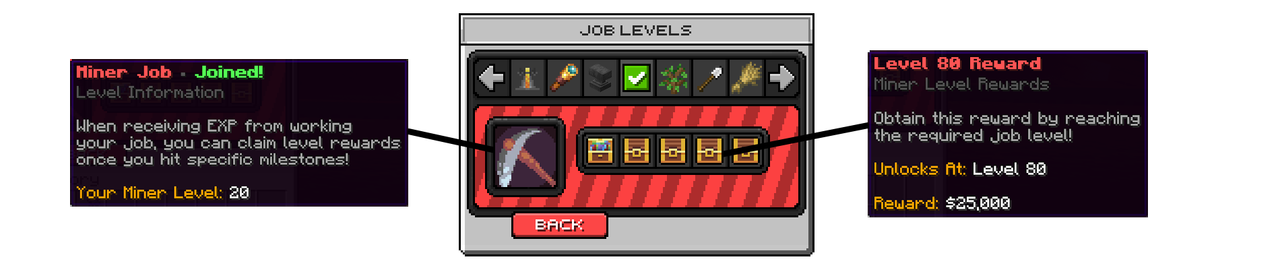
Jobs levels is a progression system inside each jobs which makes the players money income increase when the level increases. With our unique Jobs Rewards system, players are also rewarded when reaching specific level milestones.

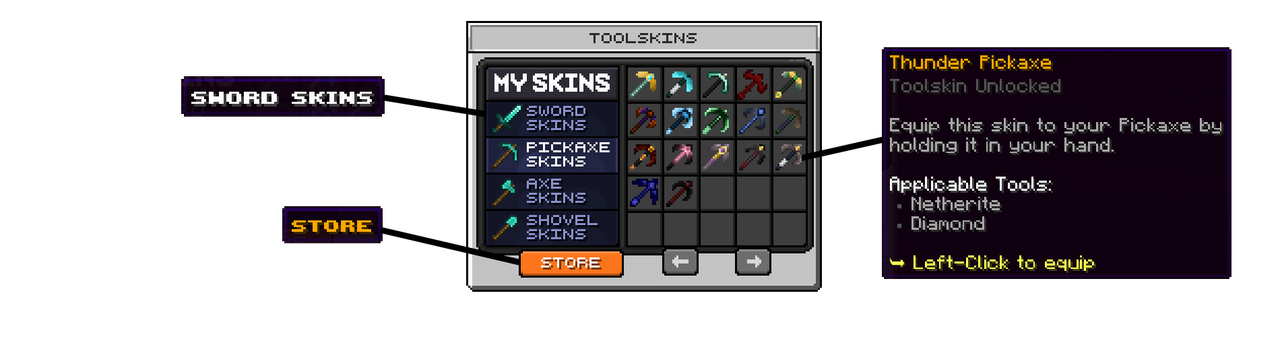
ToolSkins is a NitroSetups exclusive feature which makes it possible for players to change the skin (texture) of the tool in their hand. Players can collect all of the available skins, and choose to equip there favourite skins on their tools. (All players can see your tool)
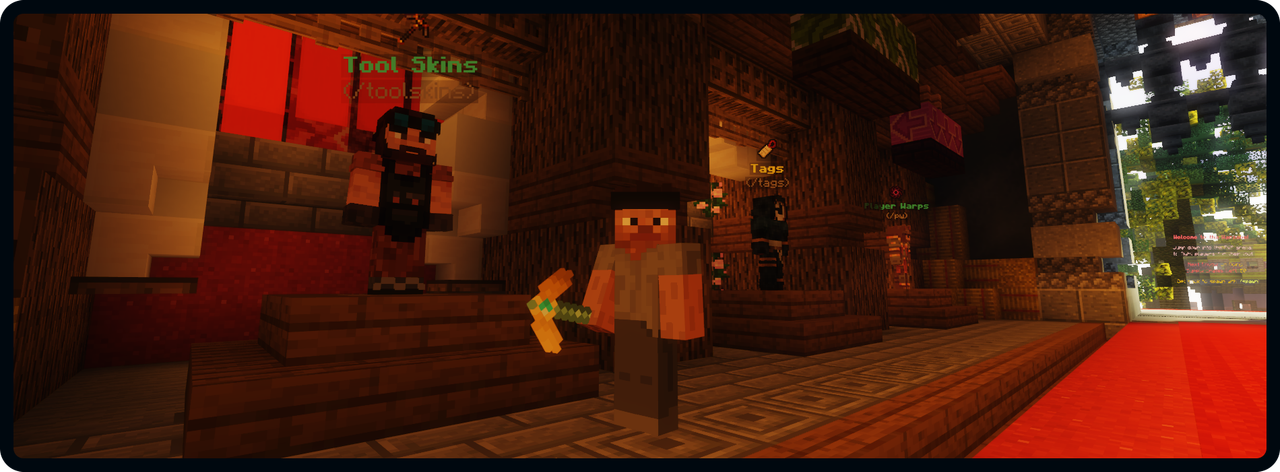
Below is a picture of a player holding a pickaxe with a skin "Emerald" skin equipped.

Coins is the premium currency on the setup which can be spend in the CoinShop to purchase perks and other items.
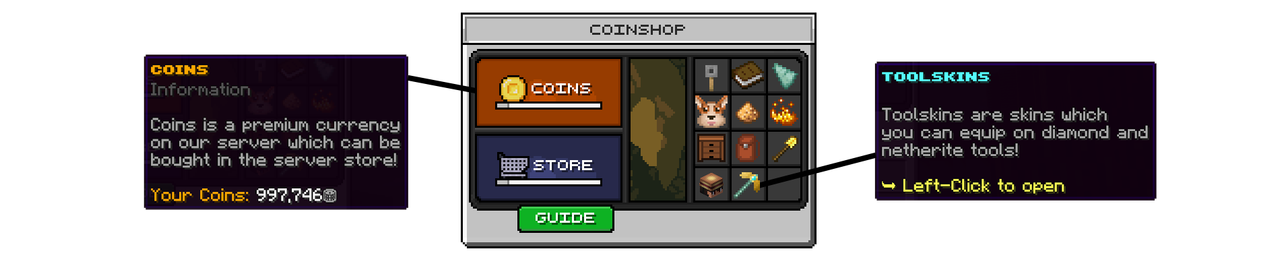
Below is an example of one of the 11 available CoinShop categories:


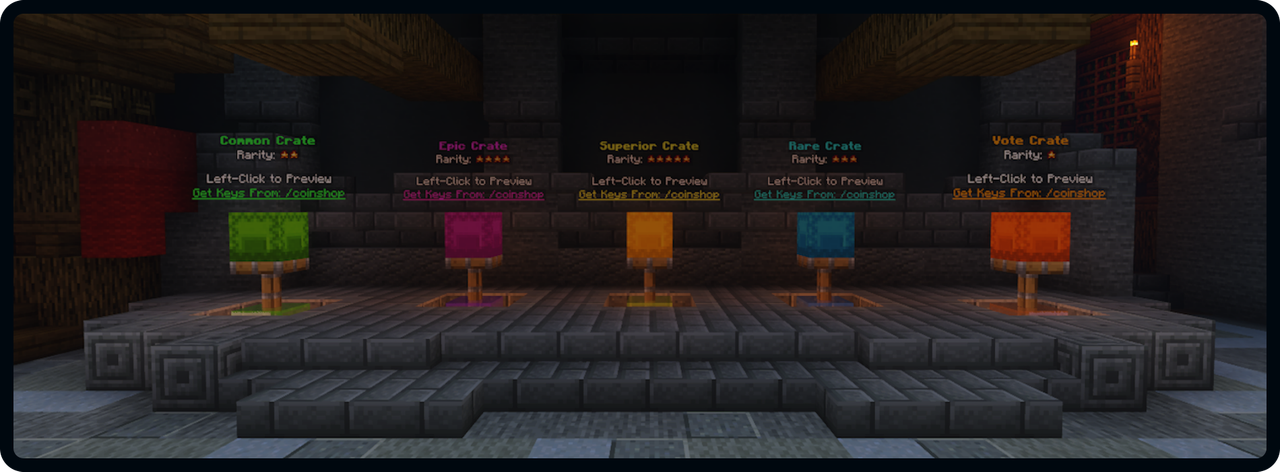
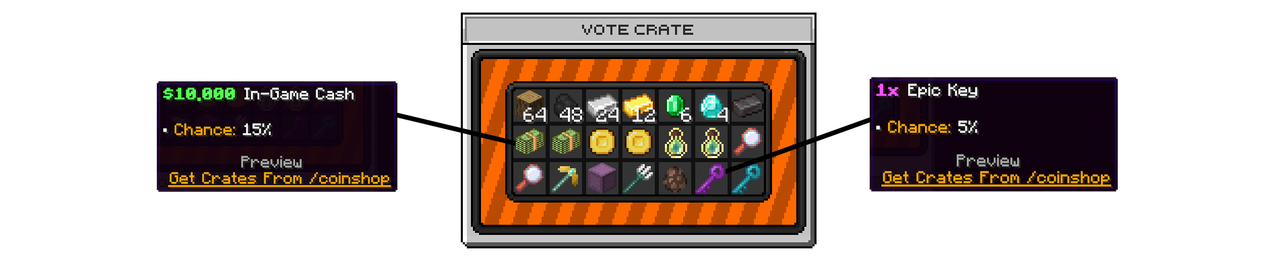
The setup includes 5 preconfigured crates in 5 different rarities: Vote, Common, Rare, Epic, Superior.

The server guide gives new players a full guide about all the features in the setup. All of the 32 main features are explained in details in the server guides. Players can get to learn to server in more details by completing the discovery codex. (Read more about this later)

Below is the second page of the server guide:


Players can claim free rewards hourly, daily and weekly. These rewards consist of money, coins and keys.

Players can also earn rewards by referring user players to your server with out unique referral system. This will help your server grow a lot!

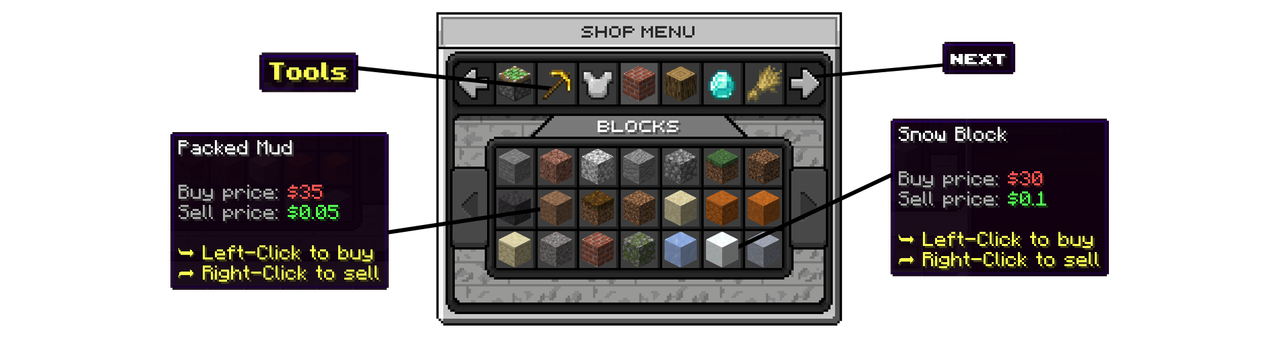
The main shop menu includes both the category selector and the shop categories. You can switch between the categories in the top of the menu and buy/sell the items in the bottom of the menu where you can also switch between the pages. View the video demo to get the full picture.

The setup includes a PVP Arena perfectly setup for PVP with CombatLog and blocked commands. The beautiful Arena Build makes for a professional appearance of your server.
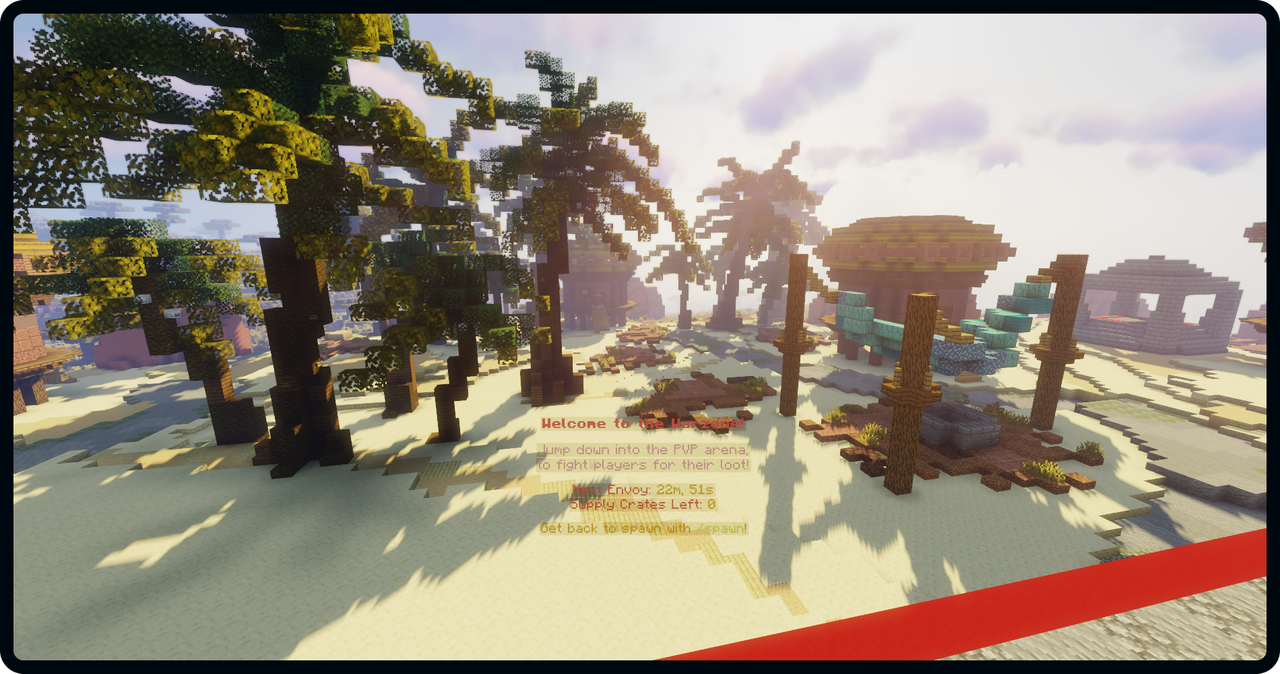
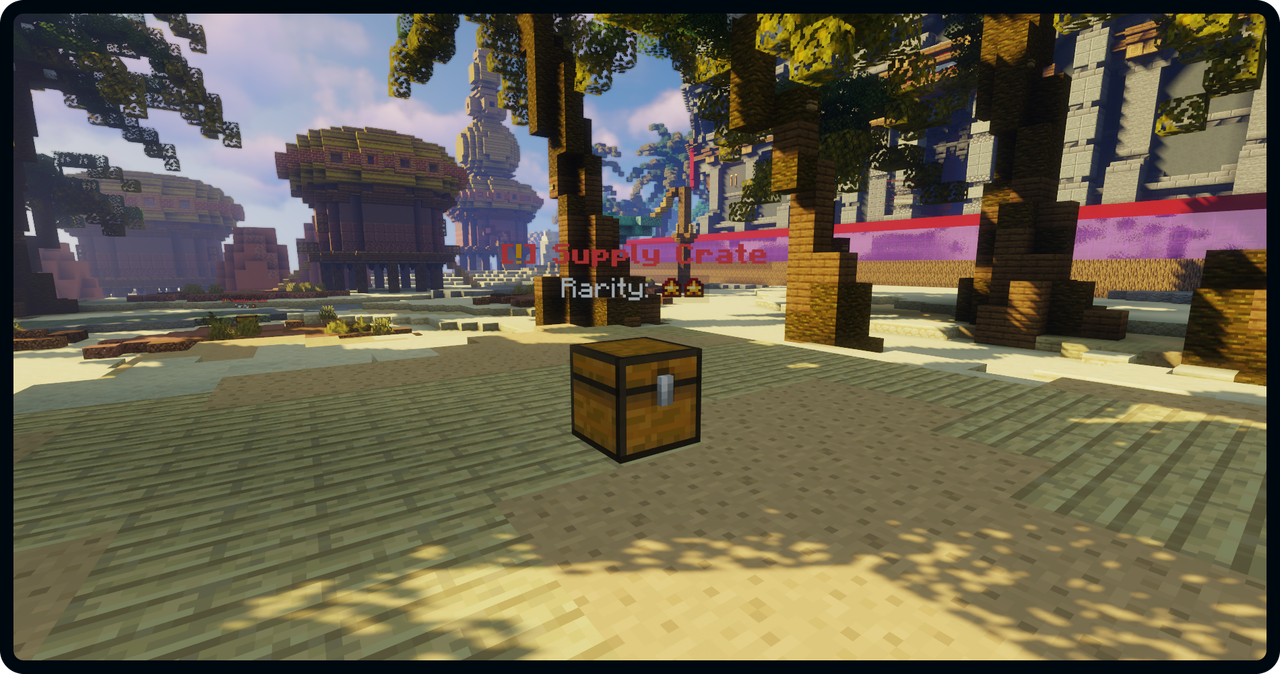
To make the PVP Arena more interesting and rewarding, supply crates will spawn randomly every hour with great loot. The supply crates are ranked from 1-5 stars depending on the loot in the supply crate.
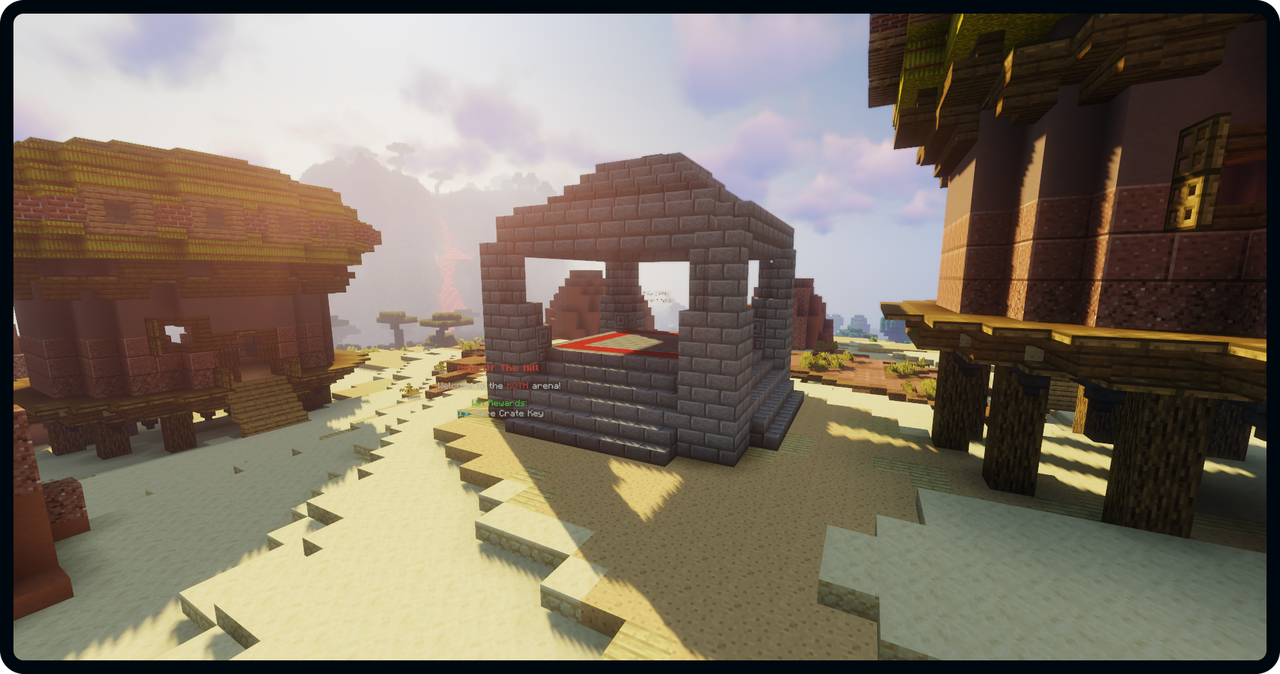
King Of The Hill (KOTH) is a popular event on many Minecraft servers, and this setup includes a preconfigured KOTH event in the PVP Arena.

Quests is a popular feature among most survival servers. The quest system includes 500+ quests in 12 different categories. Players can grind through these quests to receive rewards.

Below shows a overview of the Mining quest category. Here players can start a quest to complete.


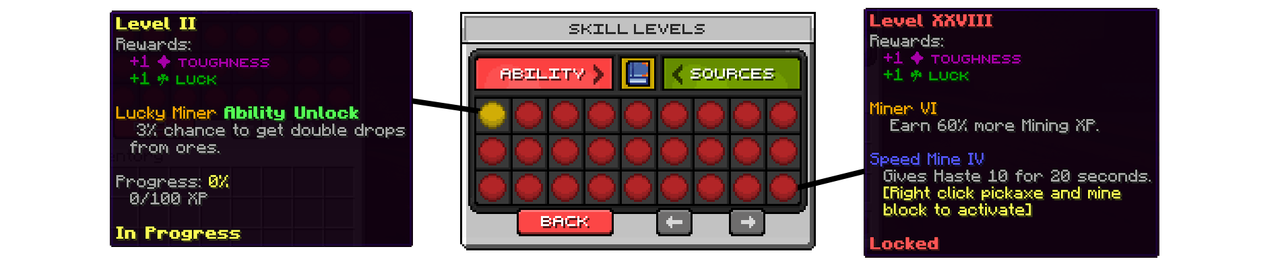
Skills is a way players can upgrade their player. When playing on the server, players constantly train their skills such as mining, farming and running. With the Skills system, players will improve in these skills and unlock certain abilities when they play.
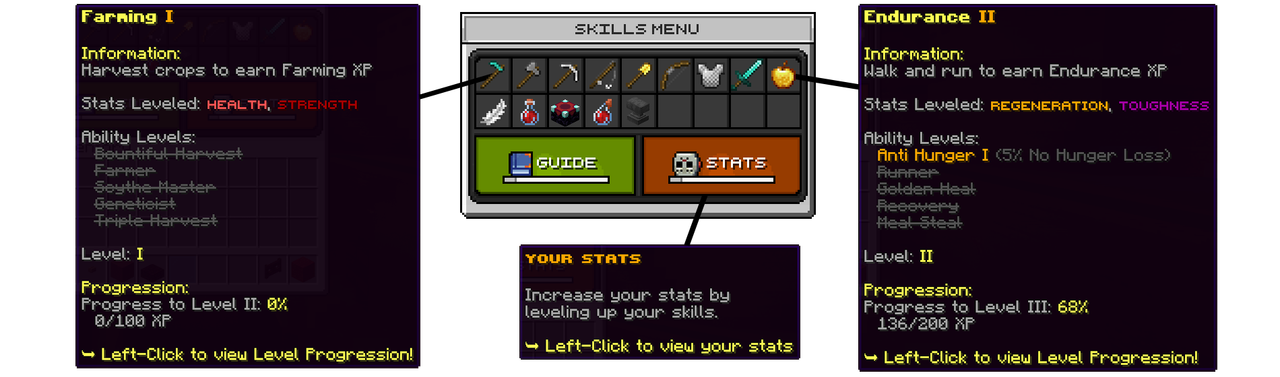
When a player trains a skill, they will levelup in that skill. You can view the skill level menu below:
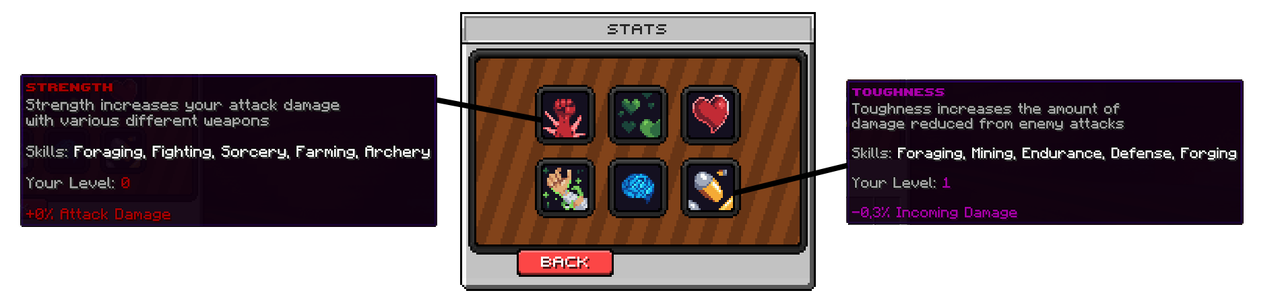
The skills stats can be viewed in the Stats menu:

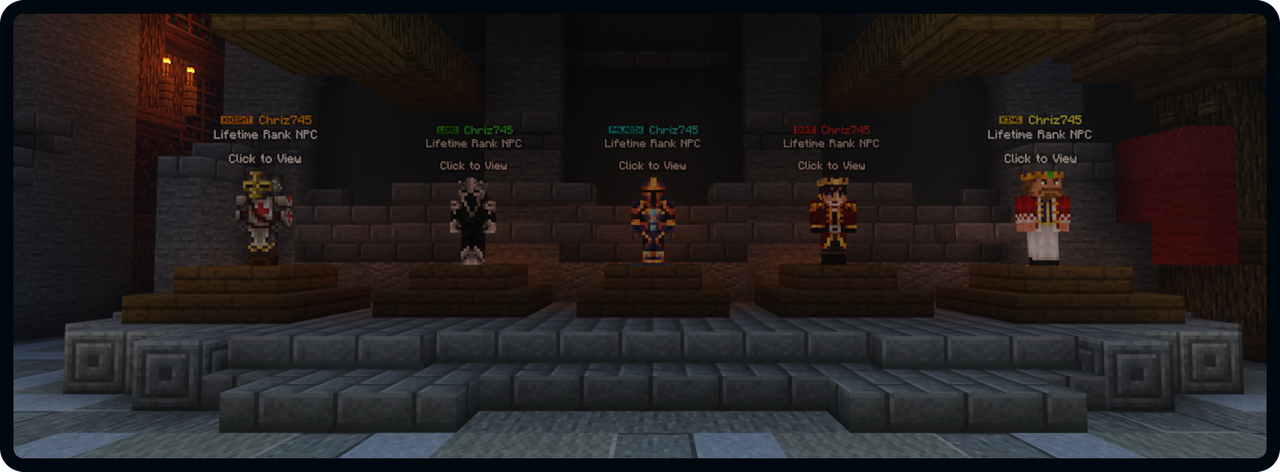
The setup includes 5 premade donator ranks which are plug and play: Knight, Lord, Paladin, Duke and King

The auction is where players can trade items for money with each other.

The "My Items" and "Expired Items" menus has a very similar design. You can see the design of the "My Items" menu below:


DailyQuests is a source to obtain Level XP on the setup. 3 quests will appear everyday which can be completed by each player for 5XP.


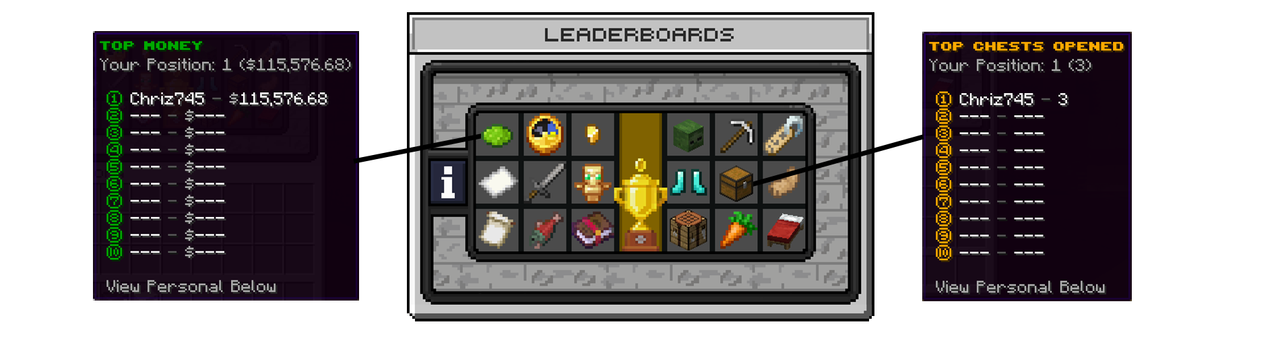
Players can compete with each other on 18 different leaderboards in the leaderboards menu.

Discoveries is a way for new players to discover your server, while being rewarded on the process. Players can complete a list of discoveries and objectives to obtain rewards, while learning about all the features on the server.

Below is the Codex Objectives category with the available objectives.


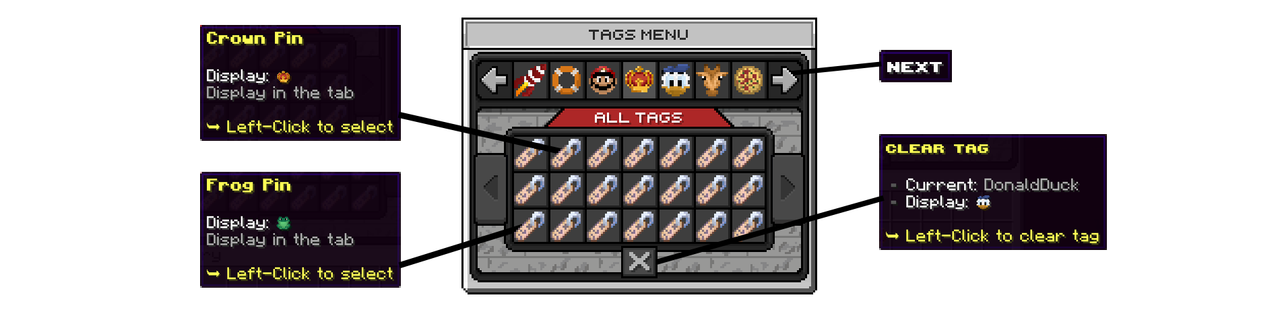
Tags allows players to choose an icon to put next to their name in the TAB. This setup includes 100+ beautiful custom texture tags which players can choose from.

Chat Games is a fun way players can beat each other about being the fastest on the keyboard. There are 5 game types: Unscramle, Unreverse, Reaction, Fillout, Math

When a player win the game, they will receive a Common Key:


Players can participate in the daily lottery buy purchasing lottery tickets. Once a day a winner will be picked from the entry pool.

Lottery tickets are bought in the menu below:


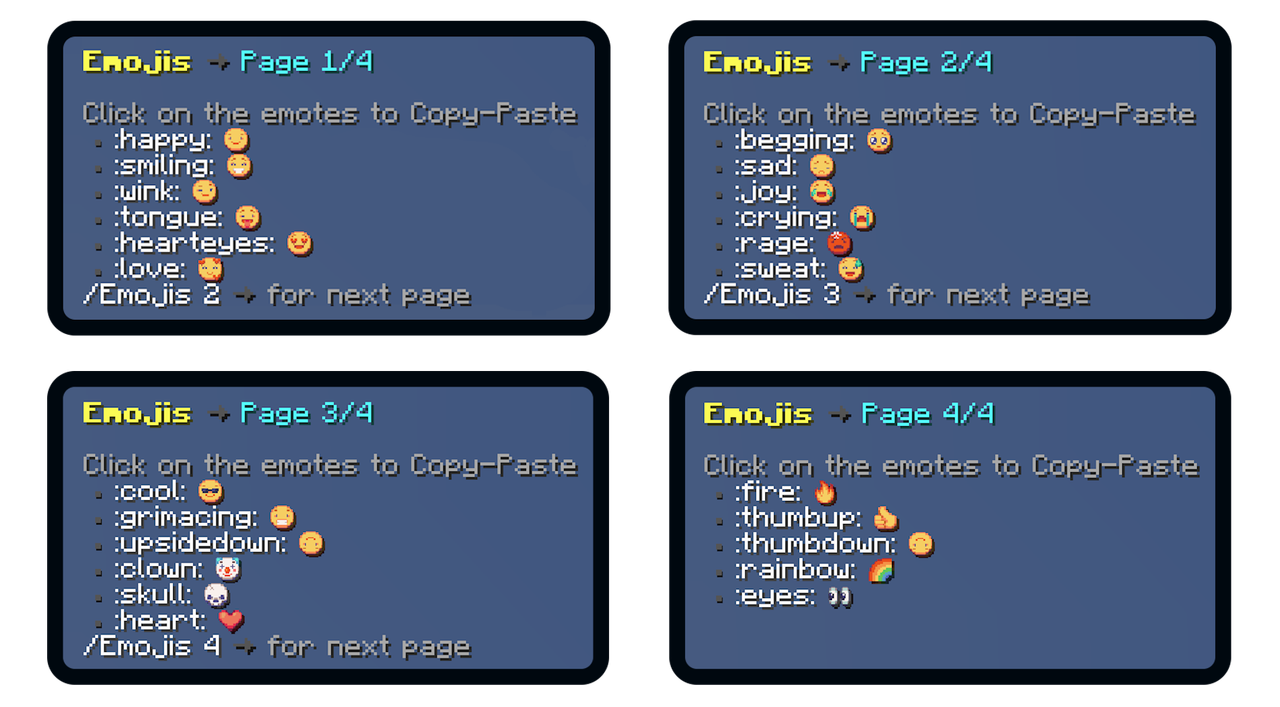
With the custom texture emojis included with the setup, players can choose between 23 different emojis to send in the chat.

Addons are extra features or services which you can purchase with the setup. None of the addons are required to get any features shown in the resourcepage or on the setup test server. The content of each addon available for this setup is explained below.
RPG Addon
The RPG Addon introduces an exciting new world to your server, packed with unique features never seen before in Minecraft servers. Centered around the fictional town of Grinwood Town, this addon offers an immersive storyline. It includes over 14 NPCs, each with their own engaging storylines, quests, and tools for players to explore and use. Continue reading below:
Spoiler: RPG Addon Overview
The standout feature of the RPG Addon is the custom classes system. This system allows players to select a class and gain specific skills, stats, and abilities. Players can then upgrade their class by completing tasks and assisting in Grinwood Town. This introduces a new element for players to grind for, and the graphics are absolutely stunning!
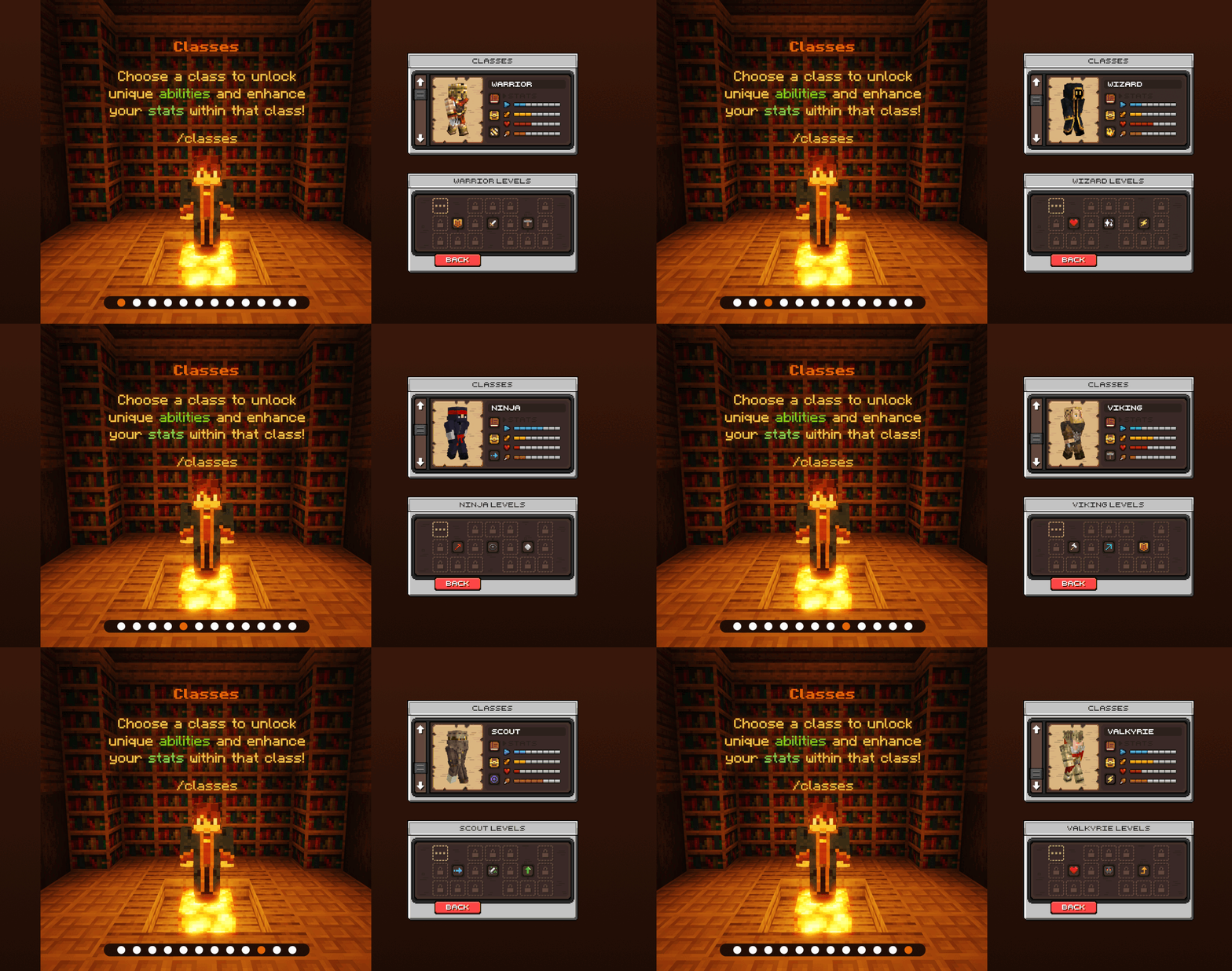
When players first enter Grinwood Town, they will spawn in the grand Town Hall. This is the starting point of the Grinwood Town world, where players can select their class and begin exploring. They can also speak to the Mayor NPC, who will welcome them and offer quests to help them get familiar with the town.

The Blacksmith NPC allows players to either repair or upgrade their tools. For example, the weaponsmith can upgrade an iron sword to a diamond sword. This service isn’t free, but it adds a fun and engaging feature for players to explore. Plus, it comes with beautiful custom graphics!

The Merchant NPC runs a large shop and offers players limited-time deals with limited supplies. This means that if the Merchant suddenly gets 3 Mending books in stock, there are only 3 Mending books available in total. Players need to act quickly and compete to get the remaining Mending books before they run out!

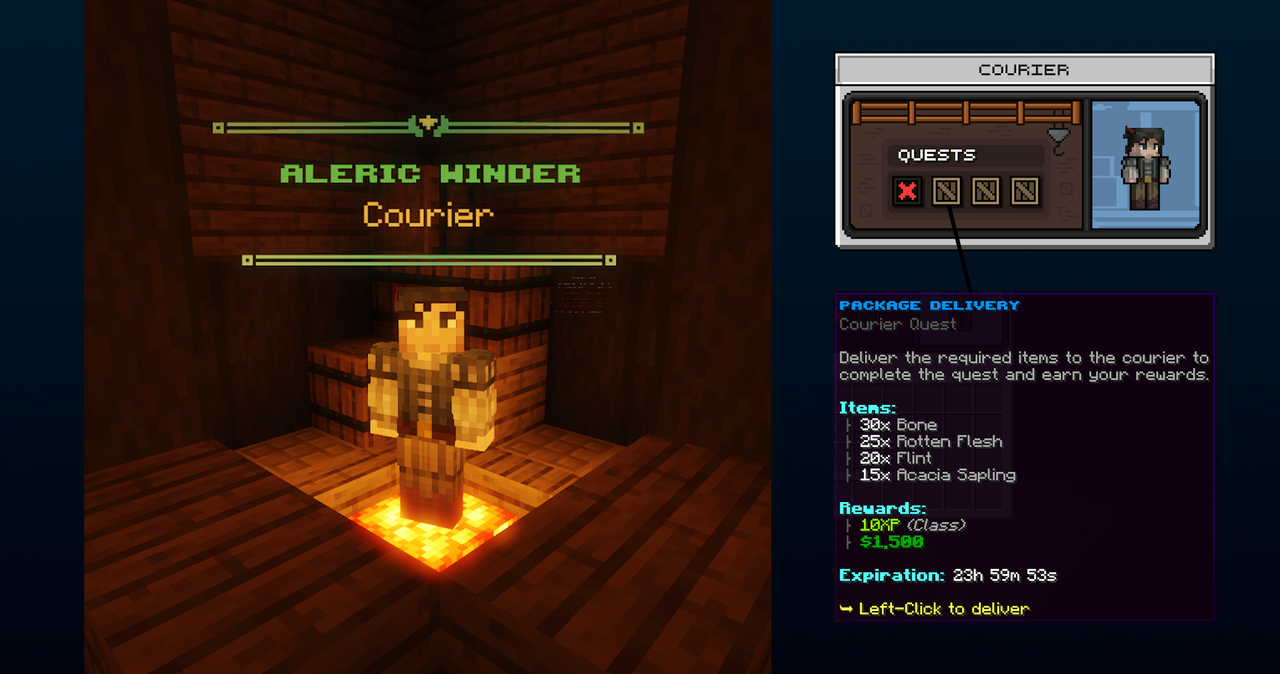
The Courier is responsible for receiving and delivering packages and letters around Grinwood Town, and your players will assist him with these tasks. In his first quest, players must deliver 3 letters to 3 citizens within a strict time frame. The main feature the Courier offers is daily quests where he requests specific bundles of items. Players must gather and deliver these items to complete the quest.
Sebastian Barley, the Farmer, owns a large barn on the northeast side of Grinwood Town. As he gets older, he needs help from your players to maintain his farm. His son, Tom Barley, also assists, but Sebastian will reward your players generously and teach them his farming skills when they help with the harvest. But your players have to keep up, otherwise they will lose the skills taught by the Farmer!

Liora Fairheart, the Artist, might offer the most exciting quest of all. Your players will help her create famous paintings by collecting the materials she needs. They won’t know what the painting will look like until it’s finished, but they’ll be with her every step of the way, experiencing the progress!

This was just a brief overview of the RPG Addon. There are many NPCs and features not covered on this page. The RPG Addon is very extensive, and your players will love it!
NOTE! The RPG Addon uses the Skript plugin.


![[1.8-26.1] RaytraceAntiXray | ItemsAdder, Oraxen, Nexo support](/data/resource_icons/0/679.jpg?1780071597)

